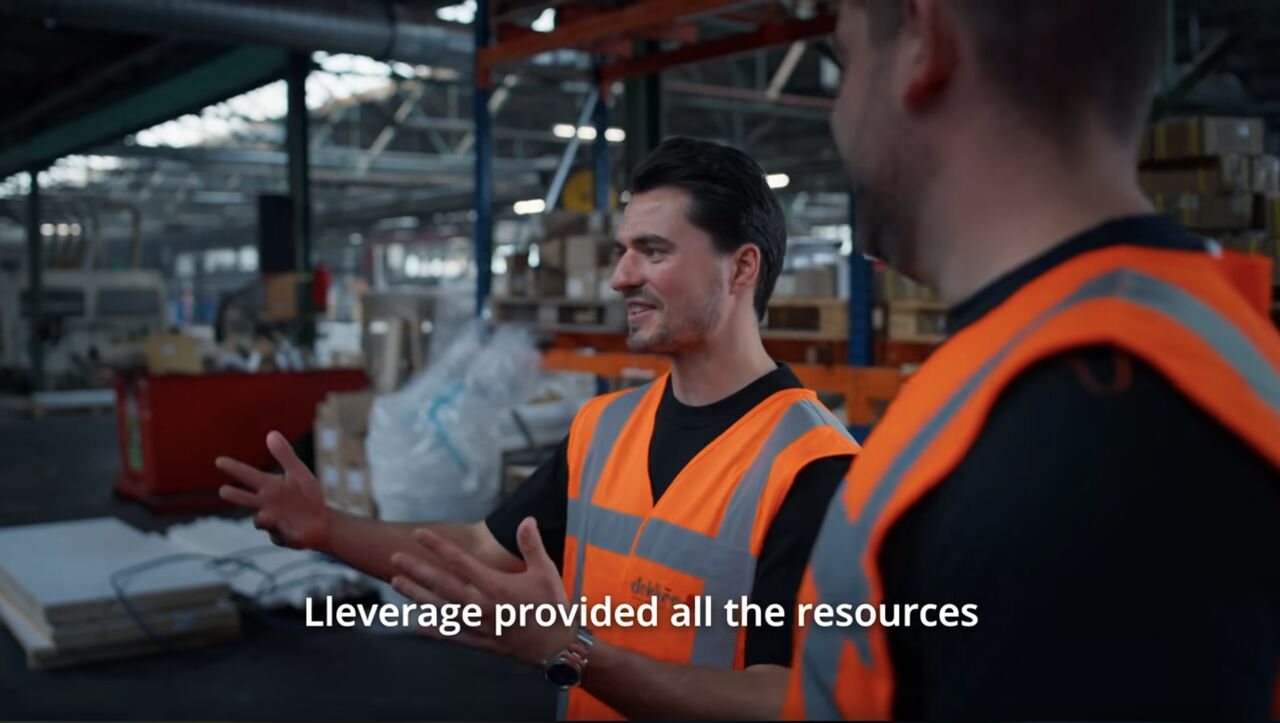
ERP and TMS integrations cost European businesses €212,000 annually in lost productivity, with 75% of implementations exceeding their 15-20 month timelines. This guide reveals why traditional integration approaches fail and how manufacturing and logistics companies are using AI automation to eliminate manual work for €175K in savings instead of risking €1.8M on complete system replacements.
30-50% of every workday in logistics and manufacturing is lost to manual data entry.
That's not a prediction—it's the reality facing European businesses running on traditional ERP and TMS systems. While AI promises to transform logistics and supply chains, recent surveys show that logistics companies are falling far behind in practical AI implementation.
But here's the uncomfortable truth: while you're waiting for the "right time" to adopt AI automation, your competitors are already saving hundreds of thousands annually by eliminating manual work, integration headaches, and data silos.
The Reality Behind the AI Hype
Headlines proclaim "AI is rewriting the rules of logistics" and "The transformative power of AI." But when you walk into most logistics operations, you see a different story:
- Teams manually copying data between systems
- Excel spreadsheets serving as integration middleware
- Emails and phone calls tracking shipment status
- Legacy ERP screens that look like they were designed in 1995 (because they were)
A recent Dutch logistics industry survey found that despite growing interest in AI, practical implementation in logistics lags far behind. Companies face real operational challenges that AI could solve, yet adoption remains limited.
Why This Gap Exists: The Five Core ERP/TMS Problems
Let me be direct about what's really happening in your operations:
Problem 1: You're Drowning in Manual Data Entry
The reality: Your team spends 30-50% of their day manually entering data from one system into another.
Why it happens:
- Orders arrive via email, PDF, Excel, EDI, and customer portals
- Each customer has their own format and terminology
- Product descriptions never match your database exactly
- Your ERP and TMS speak different languages
The real cost: An average logistics company with 50 employees loses:
- 8 hours per week per person on manual data entry
- €45,000 per year on errors from data inconsistencies
- €82,000 per year on time lost to context switching between systems
That's €127,000 in avoidable costs before we even discuss missed opportunities or customer frustration.
Problem 2: Your Systems Don't Talk to Each Other
The reality: You have data silos everywhere:
- Order data lives in the ERP
- Shipment and tracking in the TMS
- Warehouse status in the WMS
- Carrier updates via portals
- Critical data in Excel spreadsheets
- Customer requests buried in email threads
There is no single source of truth.
Why this is painful:
- Every process change requires updates in multiple systems
- Exception handling becomes a manual process
- Approval workflows span different platforms
- Cross-functional processes (like order-to-cash) require human intervention at every step
The real cost: When shipments go wrong, your team wastes hours hunting through different systems to find out what happened. By the time they piece together the story, the customer is already frustrated.
Problem 3: Your Systems Are Outdated (And Migration Is Terrifying)
The reality: If your system looks like it was made pre-internet, it probably was.
Many companies run on ERP and TMS systems from the 1990s and early 2000s. These systems:
- Require multiple clicks for simple tasks
- Have confusing interfaces designed for power users
- Can't handle modern workflows
- Break when you try to integrate them
Why you haven't upgraded:
- Fear of downtime: ERP projects take 15-20 months, with 75% exceeding their original timelines
- Massive costs: ERP implementation costs Dutch SMEs between €150,000 and €500,000
- Consultant dependency: Every change requires expensive specialists
- Risk: The famous example: Lidl's €500 million SAP implementation disaster
The vicious cycle: Your systems are too expensive to replace, but too limited to scale. So you keep patching workarounds with Excel and manual processes.
Problem 4: Poor Data Quality Creates a Domino Effect
When your data is inconsistent across systems, everything falls apart:
- Wrong shipments go to wrong addresses
- Invoices don't match purchase orders
- Inventory counts are never accurate
- Customer promises can't be kept
One wrong address sends a chain reaction: wrong delivery, frustrated customer, lost time, high costs—like dominoes falling.
The stats: About 25% of accounts payable departments don't use automation, and 73% say their team struggles to ensure purchase orders and invoices match.
Problem 5: Traditional Solutions Don't Work
When companies face these problems, they typically try:
❌ Hiring more people – Scales linearly with growth, doesn't solve the root problem
❌ Custom development within ERP/TMS – Expensive, takes months, breaks with every update
❌ Traditional RPA (like UIPath) – Brittle, requires constant maintenance, breaks when screens change
❌ Excel as middleware – Creates more problems than it solves, error-prone
❌ ERP/TMS migration – Costs hundreds of thousands, takes 15-20 months, massive risk
None of these solve the fundamental problem: your systems can't handle unstructured data, don't understand context, and can't adapt to change.
Why AI Changes Everything
AI fundamentally changes what's possible because it does three things traditional systems can't:
1. AI Understands Unstructured Data
The reality of business data:
- 80% is unstructured – emails, spreadsheets, PDFs, images, voice messages
- 20% is structured – neat rows and columns in databases
Traditional systems only work with the 20%. AI works with all of it.
What this means practically:
A customer emails: "Hi, I'd like to order the same as last time, but double the quantity."
- Traditional system: Can't process this. Requires manual intervention.
- AI system: Understands the context, looks up the last order, doubles quantities, validates against inventory, creates the order.
2. AI Can Reason
AI doesn't just move data from field A to field B. It understands what the data means and makes contextual decisions.
Real example from our customers:
A customer emails: "I'd like to order the same as last time, but everything 2x."
What AI does:
- Identifies the customer
- Finds their previous order
- Doubles all quantities
- Validates product availability
- Checks delivery address
- Creates a properly formatted order in the ERP
- Generates a confirmation email
All in seconds. No human intervention required.
3. AI Can Act
AI doesn't just analyze—it executes.
It can:
- Extract data from any document type
- Validate information against business rules
- Check inventory and pricing in your ERP
- Create shipment orders in your TMS
- Send confirmations to customers
- Update tracking information
- Handle exceptions intelligently
This is why AI is fundamentally different from traditional automation. It's not just a faster way to do the same things—it's a completely different approach.
How AI Solves Each Core Problem
Let's get specific about how AI automation addresses each challenge:
Solution 1: Intelligent Document Processing
The problem: 30-50% of time spent on manual data entry.
The AI solution:
AI can extract data from virtually any document type—invoices, orders, bills of lading, customs documents—regardless of format or language. It understands context, learns from exceptions, and improves over time.
Real example: Dekker Hout (140-year-old wood supplier)
Context: Processes hundreds of weekly purchase orders in varying formats (PDFs, Excel, emails)
Challenge: Team spent significant manual effort matching diverse product descriptions to their database and converting orders into their Business Central ERP format
Solution: An AI workflow automatically:
- Extracts order details from any format
- Matches products against their database (even with different descriptions)
- Validates against business rules
- Creates sales orders in Business Central
- Sends confirmations to customers
Result: 7 FTE saving 50% of their time
Want to calculate your savings? Use our AI invoice processing ROI calculator.
Solution 2: Smart Communication & Customer Service
The problem: Customer inquiries, order changes, and status requests flood your inbox and phone lines.
The AI solution:
AI automatically processes messages from emails, chats, and forms about orders, changes, or questions.
What it does:
Processes messages automatically:
- Emails, chats, and forms about orders, changes, or questions
- Natural language understanding of intent
30 seconds instead of 30 minutes:
- Address change: check validity, update system, send confirmation
- All automated
Proactive updates:
- Customer gets automatic notification before they need to contact you
- "Your shipment will arrive tomorrow between 2-4 PM"
60-80% less manual work:
- Team focuses on complex questions
- Routine inquiries are automated
Discover how we're saving €35,000 monthly with AI voice agents.
Solution 3: AI as an Intelligent Integration Layer
The problem: ERP, TMS, and portals all speak different languages in different formats.
The AI solution:
Instead of replacing your systems or building complex integrations, AI sits as an intelligent middleware layer that:
- Understands information from any system
- Translates between different formats
- Writes back to the appropriate systems
- Handles exceptions intelligently
Think of it as a universal translator for your business systems.
What this means practically:
Your ERP says: CUSTOMER_ID: 12345, PRODUCT_CODE: ABC-001, QTY: 100
Your TMS needs: Client Ref: 12345, Item: ABC-001, Units: 100, Weight: 2500kg, Dims: 120x80x100
AI automatically:
- Pulls customer data from ERP
- Calculates weight and dimensions from product database
- Formats for TMS
- Creates shipment booking
- Updates ERP with tracking number
All without brittle, code-based integrations that break with every system update.
Solution 4: Intelligent Data Transformation
The problem: Every customer, supplier, and partner has their own format for the same information.
The traditional approach:"Map field A to field B" – requires separate integration for each format.
The AI approach:"Understand what this data represents and transform it intelligently"
Real example from our customers:
A logistics company received transport orders in dozens of different formats—each with different field names, data types, and structures. Traditional mapping would require a separate integration for each format.
With AI-powered data transformation:
- AI learns to understand the relationship between fields
- Detects and corrects inconsistencies automatically
- Handles variations without reconfiguration
- Improves accuracy over time
Result: 95% automatic processing of all orders, regardless of format. New suppliers added in minutes instead of weeks.
Solution 5: Predictive Analytics and Planning
AI doesn't just move data—it helps you make better decisions.
Capabilities:
Demand Forecasting:AI analyzes historical data and market trends to accurately predict customer demand. This reduces the risk of overstock or stockouts.
Predictive Maintenance:For TMS systems, AI can analyze vehicle data to predict when maintenance is needed, preventing unexpected breakdowns.
Route Optimization:AI optimizes transport routes in real-time based on traffic, weather, fuel costs, and delivery windows.
Real example: Manufacturing capacity planning
A manufacturing company integrated AI into their production and capacity planning. The system:
- Analyzes incoming orders and inventory levels
- Predicts production needs and bottlenecks
- Optimizes production schedules automatically
- Coordinates with TMS for optimal shipping
Result: Companies using AI-enhanced ERP systems report 30-40% efficiency gains in their facilities.
Real Case Studies: The Results Speak
Let's look at concrete examples of how AI automation is transforming ERP/TMS operations:
Case Study 1: Dekker Hout - Order Entry Automation
Company: 140-year-old wood supplier in the Netherlands
Volume: Hundreds of weekly purchase orders
Problem: Orders arrived in varying formats (PDFs, Excel, emails) with diverse product descriptions
The manual process:
- Receive order via email/PDF/Excel
- Manually identify products in their database
- Match varying descriptions ("oak door 880x2100" vs "hardwood entry door 88x210cm")
- Enter data into Business Central
- Validate and confirm
Time per order: 15-20 minutesError rate: 3-5% due to manual transcription
The AI solution:
An automated order processing workflow that:
- Extracts order details from any format
- Uses AI to match product descriptions (handles synonyms, abbreviations, variations)
- Validates against business rules
- Creates sales order in Business Central automatically
- Sends confirmation to customer
Results:
- 7 FTE saving 50% of their time
- Order processing time: 15-20 minutes → 2-3 minutes
- Error rate: 3-5% → <0.5%
- Customer satisfaction: Significantly improved due to faster confirmations
Read the full story: How a 140-year-old wood company eliminated manual order processing.
Case Study 2: European Manufacturer - Invoice Processing
Company: Medium-sized manufacturing company
Volume: 1,500 invoices/month from 200+ suppliers
Problem: Manual invoice matching and approval process
The manual process:
- Invoice arrives via email/portal
- Finance team manually extracts data
- Match to purchase order in ERP
- Reconcile any discrepancies
- Route for approval
- Enter into system
Time per invoice: 8-12 minutesTotal monthly time: 200+ hoursError rate: High due to manual data entry
The AI solution:
An automated invoice processing workflow that:
- Extracts data from invoices in any format (PDF, image, email body)
- Validates against purchase orders
- Handles discrepancies intelligently (tolerance rules, escalation)
- Routes for approval automatically
- Posts to ERP upon approval
- Learns from corrections over time
Results:
- 90% of invoices processed without human intervention
- Processing time: 8-12 minutes → 30 seconds
- Monthly time saved: 180+ hours
- Annual savings: €100,000+ in labor costs
- Error rate: Near zero
- Days payable outstanding: Improved by 40%
Calculate your savings with our invoice processing ROI calculator.
The European AI Automation Revolution
Europe, and specifically the Netherlands, is taking the lead in practical AI automation for several key reasons:
The Perfect Storm of Challenges
European logistics and manufacturing face unique pressures:
- Margin pressure from global competition
- Geopolitical uncertainty affecting supply chains
- Tariff complications post-Brexit and trade tensions
- Rising labor costs in Western Europe
- Stricter regulations on data, environment, and labor
Innovation isn't just welcome—it's essential for survival.
The Dutch Advantage
The Netherlands has become a European AI automation hub:
Market leadership: 44% of logistics and wholesale distributors adopted subscription-based ERP models in 2023 to support remote workforce integration (Dutch Ministry of Economic Affairs)
Innovation ecosystem: Home to companies like Cargill, Bosch, and leading logistics firms who are early AI adopters
Technical sophistication: Highly developed and technologically advanced economy with strong focus on digitalization
Strategic location: Europe's logistics gateway, pushing companies to optimize operations
Read more about AI automation in the Netherlands.
The European Market Context
The European ERP market reached €30.82 billion in 2024 and is projected to grow to €62.97 billion by 2030 (CAGR of 11.62%). But this growth comes with challenges:
Strong regulatory framework:
- GDPR: Strict data protection requirements
- PSD2: Payment services security
- Industry-specific compliance: Varies by country
AI systems help ensure compliance through:
- Automatic audit trails
- Real-time compliance monitoring
- Structured documentation
- Data residency compliance
Learn more about AI security and compliance in Europe.
Skills shortage:71% of European IT employers reported difficulty recruiting staff with certified expertise in cloud ERP platforms in 2023 (European Centre for Development of Vocational Training)
This makes AI automation even more critical – you can't hire your way out of this problem.
Implementation Roadmap: From Concept to Production
Now you understand what's possible. Here's exactly how to get started:
Phase 1: Choose Your First Battle (Week 1-2)
Don't try to automate everything at once. Start with one high-impact, high-volume process.
Best starting points:
- Order processingHigh volume
- Standardizable process
- Direct customer impact
- Clear ROI metrics
- Invoice processingMassive time sink
- Error-prone when manual
- Easy to measure savings
- Quick wins build momentum
- Quote generationTime-consuming for sales teams
- Often requires multiple system lookups
- Directly impacts revenue
- Customer-facing value
Selection criteria:
✅ High volume – More transactions = faster ROI
✅ Relatively standard – Easier to automate
✅ Measurable impact – Clear success metrics
✅ Not mission-critical – Safe to experiment
What to measure:
- Time per transaction (before automation)
- Volume per month
- Error costs
- Labor costs
- Customer impact
Phase 2: Platform Selection and Setup (Week 3-4)
What to look for in an AI automation platform:
✅ No-code workflow builder – Business experts can create workflows without developers
✅ Native AI capabilities – Document processing, natural language processing, machine learning built-in
✅ Extensive integrations – Pre-built connectors for your ERP, TMS, and other systems
✅ Fast implementation – Weeks, not months
✅ Scalability – Can grow from pilot to enterprise-wide deployment
✅ European compliance – GDPR-compliant, data residency options
Why Lleverage:
Lleverage offers all of the above, plus:
- 2000+ pre-built integrations – Including all major ERP and TMS systems
- Visual workflow builder – Design workflows with drag-and-drop
- AI document processing – Extract data from any document type
- Natural language setup – Describe what you want in plain English
- Implementation in weeks – From idea to production in 2-4 weeks
- Enterprise-grade security – GDPR-compliant, SOC 2 Type II
Book a demo to see how quickly you can start.
Phase 3: Pilot Implementation (Week 5-8)
Week 5-6: Build your first workflow
With Lleverage's platform:
- Describe your process – Use natural language to explain what you want to automate
- Visualize the workflow – See immediately how your process looks
- Configure integrations – Connect your systems with pre-built connectors
- Define business rules – Set validations and exception handling
- Test with sample data – Verify everything works as expected
Week 7: Run a pilot
- Start with small volume (10-20% of total)
- Run parallel with your existing process
- Monitor accuracy and performance
- Collect feedback from your team
- Refine configuration based on results
Week 8: Preparation for scale
- Document lessons learned
- Train your team
- Set up monitoring and alerts
- Create process documentation
- Plan your full rollout
Phase 4: Production Rollout (Week 9-12)
Gradual rollout:
- Week 9: 50% of volume
- Week 10: 75% of volume
- Week 11: 90% of volume
- Week 12: 100% of volume
Key success factors:
✅ Human review for exceptions – AI handles standard cases, people handle edge cases
✅ Continuous monitoring – Track performance metrics and accuracy
✅ Regular optimization – Refine rules based on results
✅ Team training – Ensure everyone understands how the system works
✅ Documentation – Keep everything up-to-date as you learn
Phase 5: Expansion and Optimization (Month 4+)
Once your first process is successful:
- Measure and communicate resultsTime savings
- Cost reductions
- Accuracy improvements
- Team satisfaction
- Identify your next processWhat's now the biggest pain point?
- Where can you make the most impact?
- Which process benefits from lessons learned?
- Build momentumShare successes with the organization
- Train more people
- Create a culture of automation
- Keep innovating
Learn how to transition from manual workflows to AI automation.
The Real Numbers: Costs and ROI
Let's be honest about costs and returns. Here's how it compares:
Traditional ERP/TMS Integration
Initial costs:
- Software licenses: €50,000 - €200,000
- Implementation consultants: €100,000 - €300,000
- Internal IT resources: €30,000 - €80,000
- Total: €180,000 - €580,000
Timeline: 15-20 months
Maintenance: 15-20% per year of initial investment
Risk: High – 75% exceed original timelines
AI-Native Automation (Lleverage)
Initial costs:
- Pricing: one monthly price per agent
- Implementation: self-service or guided
- Training: Included
Timeline: 2-8 weeks for first workflow
Maintenance: Included in subscription
Risk: Low – start small, prove ROI, then scale
The Savings: Real Numbers
Average savings per year:
Time savings:
- 8 hours/week manual data entry eliminated = €27,040/year
- 5 hours/week data reconciliation eliminated = €16,900/year
- 3 hours/week exception handling reduced = €10,140/year
- Total: €54,080/year in labor savings
Error reduction:
- 95% fewer data entry errors
- Average cost per error: €500
- If you had 90 errors/year: €45,000 savings
Efficiency gains:
- 30% faster order processing
- 25% better inventory rotation
- 20% reduction in transport costs through better planning
- Estimated value: €80,000 - €150,000/year
Total annual savings: €180,000 - €250,000
ROI Timeline with Lleverage:
- Month 1-2: Implementation
- Month 3-4: First savings visible
- Month 5-6: ROI break-even
- Month 7-12: Full savings realized
Use our ROI calculator to calculate your specific savings.
Addressing Common Objections
Let's tackle the elephant in the room. Here are the main objections we hear, and why they don't hold up:
"Our industry is different"
The objection: "AI automation might work for other companies, but we have unique processes/suppliers/systems/requirements."
The reality: Every company thinks they're unique. You're not. You process orders, handle invoices, answer questions, verify documents, plan production, and create quotes. The details vary, but the processes are universal.
Lleverage works with wholesale, manufacturing, and logistics companies throughout Europe—from a 140-year-old wood company to modern SaaS businesses. Each thought they were unique. All successfully automated.
Check our enterprise solutions for complex requirements.
"Our systems won't integrate"
The objection: "We have a custom ERP/legacy TMS/proprietary systems that can't integrate."
The reality: Modern AI platforms like Lleverage offer 2000+ pre-built integrations. If your 1987-vintage ERP isn't on the list, we can usually connect via CSV, database connection, or API.
We've never met a system we couldn't integrate. In the worst case, we can build a custom connector in days, not months.
"We don't have technical expertise"
The objection: "We don't have developers/IT team/technical people to implement and maintain this."
The reality: That's exactly why AI-native platforms exist. With Lleverage's natural language interface and visual workflow builder, business experts can create workflows without writing a single line of code.
You describe what you want in English. The system builds the workflow. You test it. You deploy it. No developers needed.
"AI is too risky for critical processes"
The objection: "We can't risk automating our core processes. What if something goes wrong?"
The reality: Manual processes currently have:
- 3-5% error rate (data entry errors)
- No audit trail
- Inconsistent handling
- Zero scalability
AI automation offers:
- 95-99% accuracy
- Complete audit trail
- Consistent handling
- Unlimited scalability
- Human-in-the-loop for exceptions
You start with a pilot on a non-critical process. You measure the results. Then you scale. It's actually less risky than your current approach.
"It costs too much"
The objection: "We don't have budget for another software platform."
The reality: Let's look at the real numbers. You're currently paying:
- €54,000/year in unnecessary labor
- €45,000/year in errors
- €80,000+/year in inefficiencies
- Total: €180,000+/year in avoidable costs
Even if you only eliminate 50% of your inefficiencies, you're positive ROI in 3-6 months.
The question isn't "can we afford to automate?" It's "can we afford NOT to?"
"We need to see it working first"
The objection: "We want to see proof it works before we commit."
The reality: That's exactly what a pilot is for. We recommend:
Week 1-2: Choose one process
Week 3-4: Build the workflow
Week 5-6: Test with 10-20% of volume
Week 7-8: Measure results
No long commitment. No massive upfront investment. Just proof.
Start a pilot – risk-free.
The Future: What's Coming Next
AI automation is evolving rapidly. Here's what's in the pipeline:
Hyperautomation
The next wave goes beyond individual processes. It's about creating fully automated business processes from end to end.
Example: Order-to-cash fully automated:
- Customer places order (via website, email, phone, EDI)
- AI processes and validates order
- ERP checks inventory and pricing
- TMS creates shipping plan
- Production receives pick list
- Invoice automatically generated and sent
- Payment tracked and reconciled
- Everything fully automated, only exceptions escalate
Augmented Intelligence
AI won't just automate tasks—it will enhance human decision-making with real-time insights and recommendations.
Example: When reviewing a large order, the salesperson automatically gets:
- Customer creditworthiness
- Historical order patterns
- Inventory status and lead time
- Personalized pricing recommendation
- Risk assessment
- Suggested payment terms
Cross-Platform AI Capabilities
AI that works across different platforms and systems will enable more unified, cross-functional business operations.
Example: A single AI agent that:
- Pulls data from your ERP
- Analyzes in your BI tool
- Creates orders in your TMS
- Communicates with customers via your CRM
- Generates reports in your documentation system
- All without human intervention
Edge AI for Real-Time Decisions
AI running on the edge (in warehouses, vehicles, production floor) will enable real-time decision-making without latency from cloud connections.
Getting Started: Your Next Steps
You've seen the problems. You've seen the solutions. You've seen the numbers. Now it's time to take action.
Option 1: Start with a Self-Assessment
Use these questions to evaluate your situation:
Process evaluation:
- Which processes consume the most time?
- Where do errors occur most frequently?
- What customer complaints are most common?
- Which tasks frustrate your team most?
Cost quantification:
- How many hours/week on manual data entry?
- What's your error rate and cost per error?
- What's your average labor cost?
- What opportunities are you missing?
ROI potential:
- High-volume processes?
- Standardizable workflows?
- Clear success metrics?
- Quick win potential?
Option 2: Book a Demo
See Lleverage in action with a personalized demo:
- Show us your specific use case
- See how Lleverage would automate it
- Ask all your questions
- Get an estimate of implementation time and costs
Book a demo – it takes 30 minutes and could save you €200,000/year.
Option 3: Start a Pilot
Ready to begin? Start a pilot project:
The plan:
- Week 1-2: Choose your first process
- Week 3-4: Build the workflow
- Week 5-8: Run the pilot
- Week 9-12: Scale to production
We guide you through every step. No risk, no long implementation projects, no huge upfront investment.
Start your pilot
Option 4: Explore Specific Solutions
Jump directly to the solution that addresses your biggest pain point:
- Order Processing Automation – Eliminate manual order entry
- Invoice Processing Automation – Automate AP processing
- Quote Generation Automation – Speed up your sales process
- Production Planning – Optimize manufacturing operations
- Customer Support Automation – Handle inquiries intelligently
The Time Is Now
European businesses collectively pay billions in avoidable costs from inefficient ERP and TMS integrations. Every day you wait is a day that you're:
- Losing money on manual labor
- Losing customers to errors and delays
- Losing employees to frustration
- Losing market share to faster-moving competitors
The good news? Solving these problems is now easier, faster, and more affordable than ever before.
AI automation isn't a futuristic promise anymore. It's a practical solution that European businesses are using today to save millions.
The question isn't if you should automate. It's when you'll start.
Frequently Asked Questions
Can AI automation work with our specific ERP system?
Yes. Modern AI automation platforms support all major ERP systems including SAP, Business Central, Dynamics 365, Infor, AFAS, Navision, and more. Lleverage offers 2000+ pre-built integrations, and if your system isn't on the list, we can usually connect via API, database, or CSV.
How long does implementation take compared to traditional integrations?
Traditional ERP integrations take 15-20 months. With AI-native automation, you can have your first workflow running in 2-4 weeks, and scale to full production in 2-3 months. The timeline is 8-10x faster.
What are the costs compared to traditional consultants?
Traditional ERP integration costs €180,000 - €580,000 and takes 15-20 months. AI automation with Lleverage is operational in weeks. You save 70-85% on costs and achieve ROI in 3-6 months.
Do we need developers to implement this?
No. With Lleverage's natural language interface and visual workflow builder, business experts can create workflows without writing code. You describe what you want in English, the system builds the workflow. No developers required.
How does AI handle complex exceptions and edge cases?
AI systems learn from exceptions. They analyze context, look for similar cases, and suggest actions. For complex cases, they can escalate to humans for review. With human feedback, they learn to make better decisions over time.
Is AI automation secure and GDPR-compliant?
Yes. Enterprise-grade AI platforms like Lleverage are built with security and compliance in mind. They offer data encryption, access controls, audit trails, and GDPR-compliance features. Learn more about AI security and compliance for European businesses.
What happens if our processes change?
Unlike traditional integrations that break when processes change, AI systems adapt. With Lleverage's visual workflow builder, you can update workflows in minutes without IT support. The system also learns from new patterns and adjusts automatically over time.
Can we start with one process and expand later?
Yes, and we recommend it. Start with one high-value, high-volume process. Measure the results. Learn what works. Then scale to other processes. This approach minimizes risk and maximizes learning.
How do we measure success and ROI?
Track these metrics:
- Time per transaction (before and after automation)
- Volume processed (capacity increase)
- Error rate (accuracy improvement)
- Labor savings (FTE freed up)
- Cost savings (total impact)
Read our complete guide on measuring AI automation ROI.
What makes Lleverage different from other automation platforms?
Lleverage is built AI-native from the ground up, not a traditional automation tool with AI added on. This means:
- Natural language interface – Describe what you want in English
- Intelligent document processing – Understands and learns from any document type
- 2000+ pre-built integrations – Connect instantly to your systems
- Visual workflow builder – See and understand your entire process
- Implementation in weeks – Not months or years
- Enterprise-grade – Scales from pilot to enterprise-wide
Compare our approach with traditional RPA like UIPath or other automation tools.