
Customer story · Building materials distribution

How SIG Benelux stopped retyping every order into the ERP

Together with our partner SPAIK, SIG Benelux replaced hand-typed order entry with a back office automation on Lleverage. Every order that reached the sales desk used to be typed into Dynamics 365 by hand, the customer's email on the left of the screen and the ERP on the right. Now the workflow reads the order, works out what it means and prepares the draft. 73% of order emails arrive in the ERP ready to review, and the desk has its time back for quotes and customers.

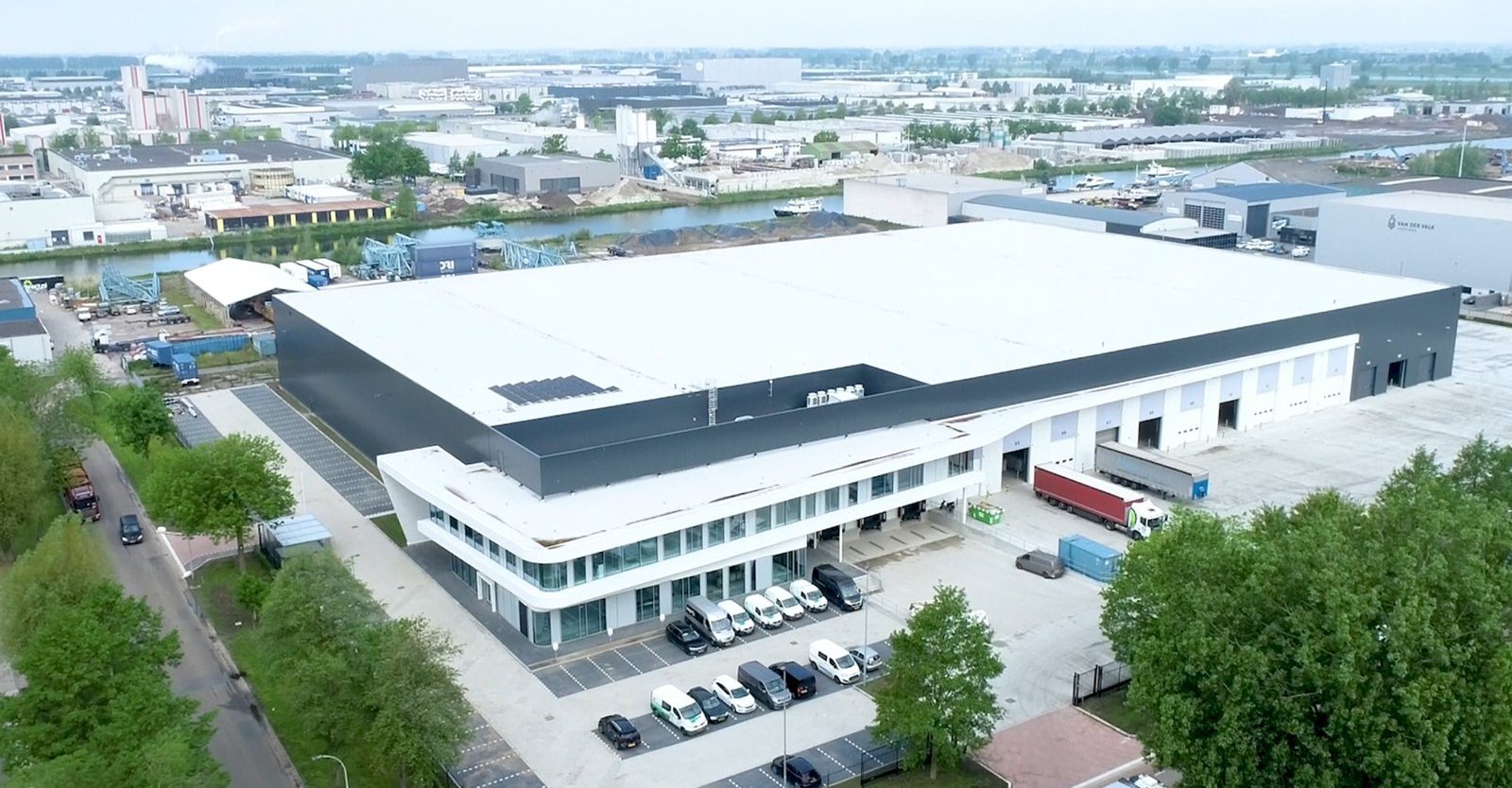
The SIG Benelux distribution centre in WaalwijkPhoto from sigbenelux.com
73% of orders arrive as a draft, ready to review

Nearly three quarters of incoming order emails reach Dynamics 365 on their own as a draft order, measured in production. The desk opens it, checks it and approves it.

Right article first time, 88% of lines

Order lines match the correct article on the first try, including the ones that arrive without an article number, because years of order history do the translation.

Time back for quotes and customers

Retyping is gone and the control is not. The desk reviews instead of types, which leaves room for quotes, for thinking along on a project, and for the upsell conversations that never fitted before.

A sales desk that knows what a hundred metres of ceiling means

SIG Benelux distributes construction and technical insulation materials to contractors and installers from branches across the Netherlands and Belgium, with its distribution centre and technical insulation production in Waalwijk. It is part of SIG plc. Like every builders' merchant, it is a business built on knowing the customer: the sales desk knows what a contractor means when they ask for a hundred metres of ceiling, even when the order does not say so.

That knowledge is exactly what made the process hard to automate.

An order at SIG is rarely a clean order line. Around 3% carry an article number. Roughly 47% have only a description. The rest arrives as a WhatsApp message, a photo pasted into an email, or a sentence that only makes sense if you know the customer.

Thousands of those came in every month, and all of them were retyped. The customer's email sat on the left of the screen, Dynamics 365 on the right, and someone at the desk read one and typed the other. A single order took five to seven minutes. A composite order took up to fifteen.

Time was only part of the cost. Nobody called a customer back with a question, because asking made the order take longer. Product knowledge lived in the heads of the people at the desk and was written down nowhere, so a new colleague took months to become useful.

"You deliberately leave questions unasked, because asking makes the processing take longer. You would want to ask, but there is no time. That is being made possible now."— Patrick Wijers, Sales Desk Manager, SIG Benelux

One mailbox, one process, four weeks

SPAIK ran the project as a four-week Kickstart and built the automation on Lleverage, with Dynamics 365 staying in place as the system of record.

The scope was deliberately narrow: one location, one process, the central order mailbox. Not the phone, not WhatsApp, not the local mailboxes. Better one order type finished than three halfway.

The first two weeks went into the shop floor: four in-depth interviews with the sales desk, a strategy session with the management team, and reading along in the real order mailbox. No assumptions about how the process worked, just watching how it actually ran. The second two weeks were building and shadow running. The automation processed order emails alongside the team, so everyone could see where it failed without any customer noticing.

"Those first emails were the moment. You saw it recognise the customer, pick out the delivery date, the contact person and even a number of articles. That is when you know you can take this further."— Patrick Wijers, Sales Desk Manager, SIG Benelux
Photo from sigbenelux.com

The back office automation SIG runs on now

The workflow runs on Lleverage and is integrated with Dynamics 365. It reads order emails, PDFs, spreadsheets and pasted photos. It sorts every mail into one of five buckets, so the desk sees the needed action at once. It matches order lines to articles, using the order history rather than a rulebook. It creates the draft order in Dynamics 365. And it flags low-confidence lines for review instead of guessing.

The biggest question up front was the data, not the technology: our data is not clean enough for this. The answer turned out to be sitting in the ERP already. Years of order history contain the translations the sales desk made by hand: this description, from this customer, means that article. Nobody has to write the rules down, because the history is the rulebook. A new colleague inherits the desk's product knowledge instead of rebuilding it.

"I knew the technology made this possible. My biggest question was the quality of our data. It was a positive surprise to see the order history was enough of a base to get results this fast."— Ditte Smit, Marketing Director, SIG Benelux

The automation sits next to Dynamics 365 rather than inside it. Customising the ERP would have cost more and left less room to change your mind. Dynamics stays the administrative base. The flow reads the order, works out what it means and prepares it. The salesperson opens a draft that is ready to review, and is still the one who approves it.

The project moved Lleverage's own integrations forward at the same time. A native Dynamics 365 Finance and Operations connection, with sales order, customer, item and invoice nodes, was built by Lleverage engineers during the same months, so the next Dynamics customer starts from a finished integration. Along the way, SPAIK's questions about connecting SIG's Azure-hosted database, access for the SIG team and alerts when a workflow fails were handled by Lleverage engineers as they came up.

What happened to each step

Before 5 steps · 5 to 7 minutes per order, up to 15 Now One human step Review the draft order in Dynamics 365 and approve 1 human step · review and approve Open the order email, any shape AUTOMATED Sort it: what action is needed AUTOMATED Work out what the customer means AUTOMATED Look up each article in the ERP AUTOMATED Retype the order, line by line ELIMINATED

What changed

It went live in June 2026 on real orders from the central mailbox. At the closing presentation roughly 40% of orders came through the flow at a usable level. By July the measured line stood at 73% of incoming order emails arriving in Dynamics 365 as a draft order that only needs reviewing. Order lines match the right article first time in 88% of cases, including the ones that arrive without an article number.

The bigger change is what the desk got back. An order now waits in the ERP to be reviewed instead of typed, which leaves time for quotes, for thinking along on a project, and for the upsell conversations that never fitted before.

From every order retyped to 73% hands off

Order emails retyped by hand

Before
100%
After
27%
73%of order emails become a draft order in Dynamics 365 on their own
88%of order lines matched to the right article first time
4 weeksfrom the first interview to real orders in production
"The hardest thing for an employee is letting go. Normally you are the one saying: I have this, I will make that of it, I press the button. Now this part of the work becomes reviewing."— Patrick Wijers, Sales Desk Manager, SIG Benelux

The pattern: the order history is the rulebook

SIG's setup is one of the most common shapes in back office automation for wholesale and distribution: an ERP that holds the record, and a sales desk supplying by hand the interpretation the ERP cannot. The tell is a team that reads emails on one screen and types into another all day. That is a business whose product knowledge lives in people, and every order pays the cost of translating it.

The move is to leave the ERP where it is, put the reading and matching in a workflow around it, and let the years of order history do the translation. A person keeps the final say. Order intake is where this shows up first, but the same shape fits quotes, changes and any process where reading, matching and looking up eats a team's day.

"AI is a topic everywhere. The real challenge is creating concrete value with it. Together we tackled a recognisable problem and translated it quickly into a practical solution that works right away."— Robert Broeckmans, Finance & IT Director, SIG Benelux

What comes next

The central order mailbox is good for roughly 15% of all orders. The rest of the channels are next, on the same workflow and the same order history.

  • Phone, WhatsApp and the branch mailboxes: orders that reach the desk by phone, WhatsApp or a local branch mailbox still get typed today. Bringing them into the workflow is the next step SIG and SPAIK have set.
  • Changes and cancellations: only new orders go into the workflow. Changes and cancellations stay with the desk for now, a scoping decision rather than a limit of the automation.
  • 95% by the end of 2026: SIG's target. The work there is getting the customer and product data and the integrations in order, rather than building a smarter machine.

Give your back office an AI workforce