An internal AI agent does a piece of your own team's back-office work inside the systems you already run. It reads an order, an invoice or a manual, checks it against your data, acts in the ERP and passes what it is unsure of to a person. Below are 12 jobs operations teams hand to an internal AI agent today.
At Lleverage we think the best first internal agent starts where somebody reads a document before they type anything, because that is where the hours go. All 12 examples here fit that rule. 5 come with a published customer story and its figures. The other 7 are jobs our AI agents do today, with no customer named. For each you get what the agent reads, what it changes in your systems and where a person keeps the decision. To see one on your own documents, book a demo.
What is an internal AI agent?
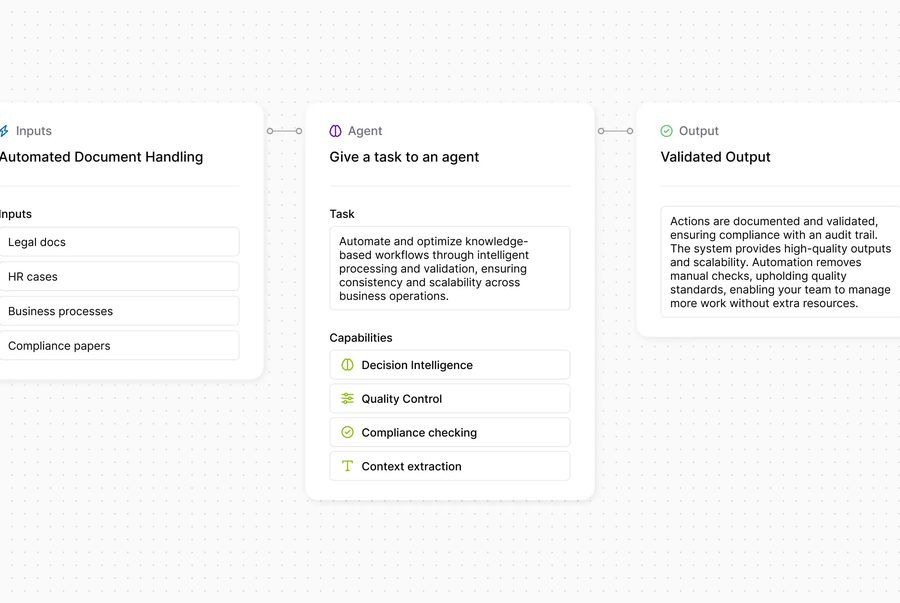
An internal AI agent works for your own staff. It takes work that arrives as email, PDF, spreadsheet or free text, works out what it means against your customer records, articles, prices and history, and does the next step in your ERP or a system next to it. What it cannot settle goes to a named person with the reason attached.
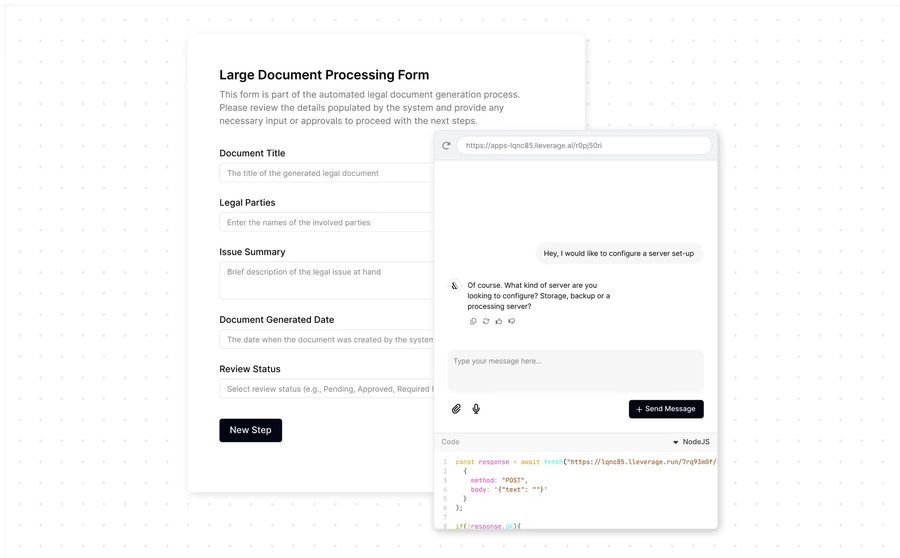
A chat assistant answers a question and stops there. An internal agent carries the task through to a result, such as a sales order created or an invoice matched, and keeps a record of why it did what it did. We cover a related distinction in supervised agents versus background automation.
According to Eurostat's 2025 survey of enterprise ICT use, 19.95% of EU enterprises with 10 or more employees used at least one AI technology. Of those, 31.05% used it to organise business administration processes or management, the second most common purpose after marketing or sales.
Which internal AI agents do operations teams run?
A customer named in the last column has a live story on our site with the result. "None" means the agent does the job today and no published story backs a number yet.
| Example | Team | What it reads | What it does | Where a person decides | Published story |
|---|---|---|---|---|---|
| Order intake | Order desk | Orders by email, PDF, Excel, CSV | Creates the sales order in the ERP | Unknown articles, missing data | Topa, Microtechniek, Dekker, Xpol |
| Article matching | Order desk | Order lines with only a description | Finds the right article number | Lines it cannot match with confidence | SIG Benelux |
| Quote drafting | Order desk | Quote requests | Drafts configuration, price and document | The team reviews and sends | None |
| Purchase order creation | Purchasing | Requests for a part, quantity and date | Raises the PO on contract terms | The signer the amount requires | None |
| Supplier confirmations | Purchasing | Supplier replies, PDFs, portal exports | Checks them against the order | Lines that moved | None |
| Invoice matching | Finance | Supplier invoices | Matches against PO and goods receipt | Lines outside tolerance, payment release | None |
| Payment matching | Finance | Incoming payments | Matches each payment to what it settles | Remainders it cannot explain | None |
| Debtor reminders | Finance | Open invoices and past conversations | Sends a reminder the day an invoice falls due | Disputes and calls worth making | None |
| Repeat customer questions | Support | Customer emails and questions | Answers the recurring ones | Complex questions | J. Kisch & Zonen |
| Service knowledge | Service | OEM manuals and service reports | Gives referenced troubleshooting answers | The technician checks the source | Oude Reimer |
| Specification review | Engineering, operations | Purchase orders and the specs they cite | Drafts the treatment route with citations | Gaps, conflicts, the final route | SPL Treatments |
| Master data | Operations, finance | Changes to customers, suppliers, articles | Validates and syncs records across systems | Changes touching money, rights or merges | None |
What do internal AI agents do on the order desk?
The order desk is a common place to start, because the volume is high, the documents vary by customer and the ERP history shows what the right answer was. The full picture is on our page on AI order processing.
1. Order intake agent
The agent watches the order inbox, reads each order in whatever format the customer sends and creates the sales order in the ERP. At Topa Bathroom Products, over 90% of incoming orders now go into Business Central with no manual input, and some customers get their confirmation within 30 seconds. Nearly 4 FTE (3.8) moved from order entry to after-sales and service planning. A missing commission number gets a drafted reply email, and an unknown article code goes to a person.
Microtechniek runs the same job on an on-premise Ridder iQ. Roughly half of its shared inbox is not orders, so the agent sorts those out first. In August 2026 it wrote between 45 and 71 purchase orders a week into the ERP without anyone typing them, more than 500 hours a year back for the admin desk. It also works evenings and weekends.
Xpol chose a supervised version. Its agent prepares a draft in Business Central that a person signs off with one click, and it leaves an ambiguous field blank for the reviewer to fill. One week into production, the team reported about 20 minutes saved per large order across 150 orders a week.
2. Article matching agent
Many orders arrive without an article number. At SIG Benelux, around 3% carry one, and roughly 47% have only a description. The agent uses years of order history in Dynamics 365 to translate "a hundred metres of ceiling" into the article the customer means. 88% of lines now match the right article first time, and 73% of order emails reach the ERP as a draft ready to review. We cover the method in matching customer descriptions to article numbers.
3. Quote drafting agent
The agent reads a quote request, works out the configuration and the price, and drafts the quote document. Your team reviews it and sends it, so the price a customer sees has always passed a person. We describe the work in RFQ to quote automation.
Which internal AI agents help purchasing?
Buying means a lot of reading: requests from the floor, contracts and supplier replies. Two agents take that reading off the desk. Our procurement automation page covers the whole buying cycle.
4. Purchase order creation agent
Someone needs a part by a date. The agent finds the supplier you have a contract with for it, uses the contract price and sets a lead time based on what that supplier has delivered before. The order then goes for signature to whoever your delegation rules name for that amount and category, with the quote and budget line attached. Small orders under your threshold go straight out.
5. Supplier confirmation agent
Supplier replies come in every shape, from a line in an email thread to a PDF or a portal export, and some never come at all. The agent compares each reply with the purchase order and shows the buyer only the lines where the price, quantity or date changed. A delivery that is slipping shows up early enough to act on. Purchase order confirmation automation goes into the detail.
What can an internal AI agent do in finance?
Finance agents work inside the tolerances you set, and releasing a payment always stays with a person. Details are on our accounts payable automation page.
6. Invoice matching agent
The agent picks up supplier invoices from the finance inbox and checks every line against the purchase order and the goods receipt, covering price, quantity and cost centre. An invoice within tolerance goes to your team matched and ready to post. A person looks only at the lines where the three documents disagree. Read more in three-way matching automation.
7. Payment matching agent
A customer pays several invoices in one transfer, with a vague reference and a deduction for a credit note your team never recorded. The agent works out which invoices the payment covers, applies it to them and states what is left over. Payments are applied on the day they arrive.
8. Debtor reminder agent
When an invoice falls due, the agent sends the reminder that day, written in your tone, with the invoice attached and the earlier correspondence taken into account. A dispute goes to a person in credit control with the history collected, and so does a customer who needs a phone call. Our post on debtor reminders shows how it runs.
How do internal AI agents help service and support teams?
Support and service teams answer the same questions over and over, from manuals, order records and the memory of a few senior people. The wider job is on our page on shipping documents and customer support.
9. Repeat customer question agent
At J. Kisch & Zonen, a furniture supply wholesaler, 80% of the questions customer support received were repeats. AI now handles the majority of them, and the team spends its time on customers with more complex needs.
An agent on the same desk can answer where-is-my-order questions from the live order record, by email, in Teams or on a customer portal. Complaints, claims and questions about money go to a person, who gets the order context with them.
10. Service knowledge agent
Oude Reimer services precision machinery for the steel industry. Its manuals and service reports sat in SharePoint folders with no structured search. The agent now draws on 170 manuals from more than 15 manufacturers, indexed by manufacturer and machine model, and new manuals are added automatically when they land in the right folder. Technicians get a referenced answer in about 70 seconds, with zero errors since launch in December 2025.
"Nobody can memorize every manual from every manufacturer. When a customer calls with a machine problem, the quality of the answer depends on who picks up the phone and what they happen to remember." Hugo Oude Reimer, Director, Oude Reimer
Which internal AI agents read technical documents and keep data clean?
These 2 jobs feed the rest: the specifications that decide how a part is made, and the customer, supplier and article records every other agent reads.
11. Specification review agent
SPL Treatments finishes aerospace parts in Sheffield. A part it has never treated before cannot enter the shop until someone reads the customer's specifications, which point at other specifications, and checks them against a library of more than 800 standards. That took about an hour per part. The agent now does the reading and drafts the treatment route with every recommendation cited to the section it came from, and the step takes 2 to 2.5 minutes. When a reference is missing or 2 sections conflict, it flags the gap for Grant Riley, who runs operations, to decide. The ERP is a legacy desktop system with no API, so a person keys in the confirmed route. Read how SPL reads 60-page aerospace purchase orders.
12. Master data agent
An error in a customer record, such as a mistyped VAT number, repeats on every invoice until somebody spots it. The agent holds one master record for each customer, supplier and article and keeps every copy in your other systems the same. It validates a change when it is made, for example the VAT number against the register, and logs the source of each value. Clear-cut corrections sync automatically. Changes that affect money, access rights or a merge of 2 records wait for the record's owner. See master data management.
What do the 12 internal AI agent examples have in common?
Every one of them begins with a person reading something: an order, a supplier reply, an invoice, a manual or a specification. Where the input already arrives as clean data, an ordinary integration is enough and an agent adds little.
Each one ends with the result in a system. If the agent's output has to be typed in again, the work has only moved. SPL's legacy ERP has no way in, so there the agent takes over the hour of reading and a person keys the confirmed route.
Each one also has a named person for the exceptions. The agent scores how sure it is of each piece of work. Below the line you set, a person decides, and above it the work goes through on its own. Only you move that line.
And each one has history to learn from. Order history, contracts, price lists and past invoices show the agent what a right answer looks like, and let you test it on last month's work before it touches a live record.
On Lleverage the agent works where your people already are. It can ask a colleague in Microsoft Teams or Slack, wait for an approval and carry on once it has the answer. Someone can teach it a process by showing it on a screen-share call, and its Skills improve from feedback, with a person approving each change. It connects to the ERPs on our integrations page and fills the same fields a person would.
Which internal AI agent should you start with?
Start with the job that has the most volume, the clearest owner and the longest history in your ERP. For most companies that make, move and sell physical products, we would start with order intake or supplier invoices. Count the weekly volume, time one run end to end and name the person who will review the agent's output.
Widen the scope by adding customers or suppliers before you add autonomy, and move the confidence line only as the measured error rate earns it. Xpol built review into the design from the start: its agent prepares drafts that a person signs off. The neighbouring job comes next, because it shares the data and the reviewer: order confirmations after order intake, payment matching after invoice matching.
For an old or on-premise system, read connecting AI agents to legacy ERPs. We set out what to expect in what AI agents cost, and the weeks and roles of a first project in what an AI back-office rollout looks like. If you would rather build it yourself, our guide on how to build an internal AI agent walks through the steps.
Frequently asked questions
What is an example of an internal AI agent?
An order intake agent is a good example. It reads customer orders from the inbox in any format, matches customers, articles and prices against the ERP and creates the sales order. At Topa Bathroom Products, over 90% of incoming orders reach Business Central this way with no manual input, and a person handles the rest.
How is an internal AI agent different from a chatbot?
A chatbot answers questions. An internal AI agent finishes work inside your systems: it creates a sales order, matches an invoice or syncs a customer record, and it shows the source behind each result. When it is unsure, it passes the case to a named person with the reason, so the work keeps moving and nobody has to check every run.
Do internal AI agents work with older or on-premise ERPs?
Often, yes. Microtechniek's agent writes customers' purchase orders into an on-premise Ridder iQ. SPL Treatments runs a legacy desktop ERP with no API, so the agent drafts the result and a person keys it in. Our post on connecting AI agents to legacy and API-less ERPs covers the options for each kind of system.
Which internal AI agent should a company build first?
Pick the job with the most weekly volume, a named owner and years of history in your ERP. For most manufacturers and distributors, we suggest order intake or supplier invoice matching. Run it supervised on real documents first, widen it across customers or suppliers, then let the measured error rate decide how much runs unchecked.
Put the first agent on your own documents
Pick the one job from the list that costs your team the most hours each week, and gather 3 weeks of the real documents that start it: orders, supplier replies or invoices. We will show which share an agent finishes on its own, which share goes to a person and what the first scope should be. Our forward deployed engineers build it with your team, and the first process typically runs supervised within a few weeks. Book a demo and bring the documents.