In AI vs automation, the difference is the input each one can handle. Traditional automation is rule-based: it runs steps someone wrote down in advance and stops on anything it was not built for, while AI automation reads unstructured input, such as an order in an email or a scanned invoice, and decides what it means.
At Lleverage we think most back offices need both inside the same process. An AI agent reads the document and makes the judgement, fixed rules check the result and write it to the ERP, and a person handles what neither can settle. The work is deciding where that boundary sits in each process, and drawing it on purpose.
Mostly it gets drawn by accident. A rule-based flow is built for the 70% of orders that arrive in a predictable format, the other 30% falls to a person, and 3 years later nobody remembers why Karin in customer service keys in everything from 4 particular customers by hand. We build AI agents for companies that make, move and sell physical products, and that leftover manual work is where we usually start. You can see how it works on order intake and in background automation, or book a demo and bring a process of your own.
What is the difference in AI vs automation for a back office?
Traditional automation applies explicit rules to structured input: if this field holds that value, do this. AI automation interprets input nobody structured for it and produces a judgement: what kind of document this is, which customer sent it, which of your article numbers they mean. The first gives the same output every time. The second gives a probable answer, so it needs a check until it has earned trust.
Both are automation, and a rule-based flow that works keeps its place next to an agent. A nightly job that creates sales orders in the ERP from a structured portal export does what it was built to do, every night, at almost no cost.
The two part ways at the edges. Traditional automation has one response to input it does not recognise: stop and raise an error. For a payment run that is the right response. For an inbox that receives purchase orders in 9 formats from 400 customers, an error means the task moved to a person, and the automation saved nothing.
Rules need structured fields, while an AI agent works on email bodies, PDFs, spreadsheets someone else built and free text. They also fail differently. A rule fails loudly and predictably; an agent can be wrong in a plausible way, which is why review steps and an audit trail belong in its design from day 1. And a rule improves when a developer edits it, where an agent improves when your team corrects it and the correction is kept.
Is traditional automation rule-based?
Yes. Traditional automation, including RPA, scripts, ERP workflows and integration platforms, follows rules a person defined in advance. It does exactly what those rules say and nothing else. That makes it predictable and cheap to run, and it also means every new format, exception or supplier quirk needs a change from whoever maintains the rules.
RPA bots click through screens the way a person would, which looks flexible. Underneath, the bot still follows a recorded script: when the screen or the document layout changes, the script breaks. We compared the two approaches in more depth in UiPath vs Lleverage.
Where does traditional automation still win?
Wherever the input is structured, the rule is stable and a wrong answer is expensive. Payment runs, credit blocks, tax determination, EDI messages that follow a standard, and any field-to-field link between 2 systems that agree on a schema. When you can make a step deterministic, make it deterministic.
We also see the opposite mistake. Teams put a model in front of work that never needed one, and add cost, delay and a review burden to a job a mapping table already did well.
4 tests for keeping a step rule-based:
- The input arrives in a format you control, or a standard both sides follow.
- The decision can be written down in full, exceptions included.
- The exceptions can be counted on 1 hand, or close to it.
- A wrong answer is costly or hard to reverse, and nobody would naturally check it.
When all 4 hold, a rule is the better choice and the cheaper one.
Where does AI automation belong?
In work that means reading, matching and deciding against context in your own systems and in your team's heads. Order intake from mixed formats, quotes against a large product range, supplier confirmations checked against the purchase order, invoices matched to orders and receipts, master data kept in sync and customer questions answered with live order details. In each of these, the right answer already exists in the ERP.
That makes this kind of work measurable. You have thousands of past documents, and each one has a human decision attached: what someone eventually typed. Run an agent over 2 weeks of real traffic, compare its output with what your team entered, and count the differences before you commit to anything.
Most companies are early on this. According to Eurostat's 2025 survey of EU enterprises with 10 or more employees, 19.95% used at least 1 AI technology, and the most common kind was text mining, the analysis of written language, at 11.75%. Of the companies using AI, Eurostat counted 31.05% applying it to business administration processes.
Topa Bathroom Products, a wholesaler with about 700 customers, gets orders as plain-text emails, PDFs, CSVs and Excel sheets. Its AI agent now processes over 90% of incoming orders into Business Central with no manual input, and customers get their order confirmation within 30 seconds. A fixed rule set would have struggled with those formats, because the hard part of each order was interpreting what a person wrote.
How do AI automation and traditional automation compare?
Traditional automation is mostly a build cost with almost no running cost. AI automation is quicker to set up, costs something per document and needs review time at the start. Both should be measured against the manual work they replace.
| Traditional automation | AI automation | |
|---|---|---|
| Logic | Rules written in advance | Judgement from the document and your context |
| Input it handles | Structured fields and fixed formats | Emails, PDFs, scans, spreadsheets, free text |
| Setting up | Every rule and exception specified first | Examples and corrections from your team |
| Running cost | Close to zero | Per document or per run |
| A new format | Needs a change request | Read like any other |
| When it fails | Stops with an error | Can be wrong in a plausible way, so it needs review |
| Upkeep | A developer edits the rule | The team corrects the output and the correction is kept |
| Best fit | Payments, EDI, system-to-system syncs | Orders, invoices and confirmations in mixed formats |
The cost people forget is review. In the first weeks of an agent, your most experienced people spend real hours checking its output. That time is how the agent learns your business rules, and it belongs in the business case from the start.
How do you combine AI and rule steps in one process?
Put the AI where something has to be read or judged, and rules where something has to be checked or written. A typical back-office process alternates between the two, and each hand-off is a structured result.
Take supplier confirmations. The confirmation arrives as a PDF or an email in the supplier's own layout, so reading it is AI work. Comparing each line with the purchase order is arithmetic, so that is a rule. Deciding whether a 3-week delay on 1 line puts a production run at risk is judgement again, and that call belongs with the buyer. Our source and procure agent reads each confirmation against the order, in whatever form the supplier sends it, so the buyer only sees the lines that moved.
Invoices follow the same split. In accounts payable, the agent reads the supplier invoice and matches each line against the purchase order and the goods receipt. Invoices inside your tolerances are booked in the ERP. A line outside them goes to a person in finance with the documents attached. Releasing a payment always stays with a person.
Xpol, a fresh flower wholesaler, shows the mix in order intake. Its agent reads orders in any format and applies 25 customer rulesets, covering unit conversions, label text that changes by weekday and orders split over several depots. The rules came out of the heads of Xpol's order desk and are now written down in the agent. The agent then pre-fills the order in Business Central for a person to sign off.
"It's a matter of building trust in the organisation with these kinds of initiatives. You can't just throw something like this over the fence." Cees Maaskant, General Manager, Xpol
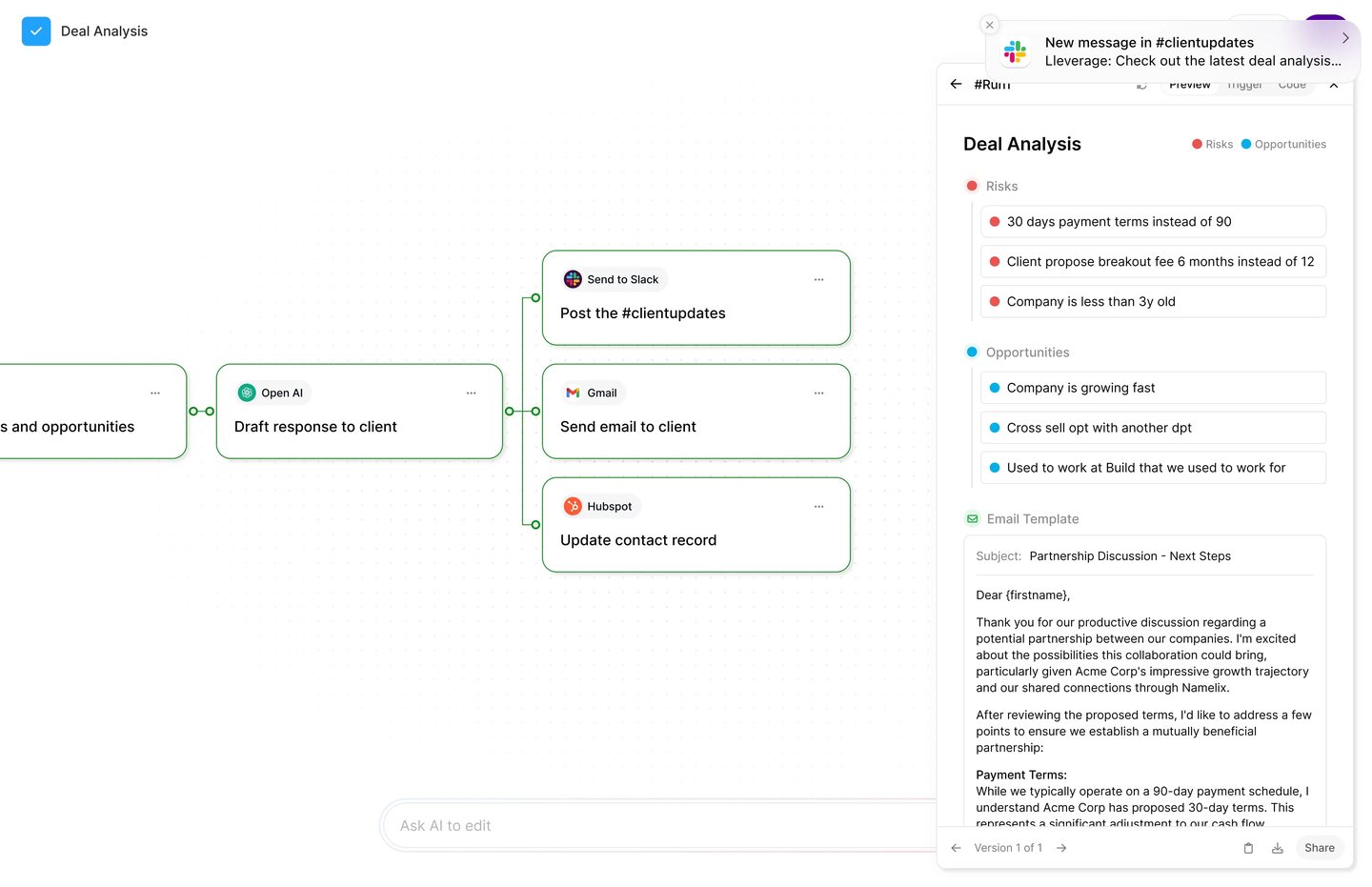
In Lleverage this mix lives in one Workflow. An AI step can sort an incoming email into order, invoice or question and send each down its own branch. A rule step then branches on plain conditions, such as an order value above a set amount. A handoff step pauses the run and asks an assigned person to decide, then carries on with the answer.
How do you run AI and traditional steps in parallel?
Parallel can mean 2 things here.
The first is side by side on the same work. When you move a process from rules to an AI agent, keep the existing automation running and let the agent process the same input without writing anywhere. Compare the 2 outputs every day and log each disagreement with its reason. You get an error rate measured on your own documents, and nothing in production depends on the agent until it has earned that.
The second is splitting one document between them. An order email has a structured part and a messy part: a customer number that a rule can look up, and free-text lines that need reading. Let rules handle the fields they can check, let the agent read the rest, and join the results before anything is created in the ERP. A conflict between the 2 goes to a person.
The move from shadow mode to live usually follows 3 steps:
- Shadow: the agent runs on real traffic and writes nowhere, and your team compares.
- Supervised: the agent proposes and a person approves before anything reaches the ERP. Watch whether corrections become rarer and stop repeating.
- On its own, with exceptions: work above your confidence line goes through. Below it, the work goes to a named owner, never to an unowned queue.
Keep the old rules for the cases they handled well. Ripping out a working integration for a tidier architecture costs months and gains nothing. We wrote more on why review is the mechanism of trust in supervised agents vs background automation, and the shorter definitional take is in AI vs automation: where the line is in 2026.
How do you decide which one a process needs?
Ask what stops the current automation. If it stops because a field is missing or a value is out of range, you have a rules problem: fix the rule. If it stops because someone has to read something and work out what it means, you have a judgement problem, and that is where an AI agent belongs.
4 questions we ask on a first call:
- How many cases fall out? If 5% fall out for the same 5 reasons, extend the rules. If 30% fall out for reasons nobody can list, that is agent work.
- Where does the knowledge live? If it is in a specification, a rule can hold it. If it lives in 1 senior person's head, an agent can learn it from their corrections.
- Can a mistake be undone? An order entry error gets caught at confirmation. A payment error does not. Work that can be undone tolerates a probabilistic step.
- What is the volume? Below a few hundred cases a month, review time can cost more than the manual work. Then leave it manual.
Frequently asked questions
What is the difference between AI and automation?
Automation carries out steps that someone defined in advance and gives the same result for the same input. AI interprets input that does not fit fixed rules, such as an order typed into an email, and decides what it means. In a back office the 2 usually work together: AI reads, automation checks and writes.
Is traditional automation rule-based?
Yes. Traditional automation, from ERP workflows and scripts to RPA bots, follows rules a person wrote beforehand. It is predictable and cheap to run, and it stops with an error on any input its rules do not cover. Each new document layout or exception needs someone to change the rules.
How do AI-driven workflows compare with traditional automation?
AI-driven workflows can read emails, PDFs and spreadsheets in any layout and handle new formats without a change request. Traditional automation is cheaper per run and fully predictable on structured input. AI steps need review at the start and an audit trail, so they belong where reading or judgement is required.
How do you combine AI and rule steps in one process?
Let the AI read and classify, then hand a structured result to rule steps that check it against the order, the price list or your tolerances. A person decides what neither can settle. For a supplier confirmation: the AI reads the PDF, a rule compares each line with the purchase order, and the buyer handles the delays.
Is intelligent automation the same as AI automation?
They overlap. Intelligent automation usually means rule-based automation, often RPA, with AI added for steps such as reading documents. AI automation, as we use the term, means an AI agent makes the judgement in the process, while deterministic steps still check the result and write it into your systems.
Where should you start?
Take 1 process where cases fall out to a person, such as order intake or supplier confirmations. Run an AI agent over 2 weeks of real traffic in shadow mode and compare its output with what your team entered. Then you know which steps stay rules and which need an agent. Book a demo and bring the process with the most manual exceptions, and our team will map where the line sits in it.