ERP hidden costs are the costs the licence and implementation quote leave out: the manual work people do around the system, reconciling it with other tools, fixing errors, keeping customisations alive and paying for upgrades. For a mid-sized distributor or manufacturer they can come close to €500,000 a year, as the worked example in this guide shows.
At Lleverage we think the largest of those costs is the work people still do by hand around a system that runs fine. Orders retyped from PDFs, invoices checked line by line, spreadsheets kept beside the ERP to hold what it cannot. That cost is cheaper to close with AI agents that work inside the ERP than with another round of customisation. Our agents for order intake and quoting and for invoices and payments do that work in the systems you already run. If you want to see it on your own processes, book a demo.
This guide is for the operations lead, controller or managing director who signed off an ERP budget and suspects the real bill is larger. It covers what an ERP costs on paper, the costs that never reach the quote, a worked example of how they add up, what upgrades and end-of-support dates add, how the accounting treats it, which fixes work, and how to measure your own number in 30 days.
What are ERP hidden costs?
ERP hidden costs are every cost of running the system that nobody priced when the project was approved. They are hidden because they land in other budget lines. Order entry staff sit in sales. Invoice checking sits in finance. The partner hours to fix a broken report sit in IT. Nobody adds them up under the heading "ERP".
They fall into 2 groups. The first group arrives with the project: overruns, extra software bought during the project, data migration and training. The second group starts after go-live and never stops: manual work around the system, integration gaps, rework, customisation upkeep and the next forced upgrade.
The first group gets the attention, because it is visible in the project budget. Panorama Consulting Group's 2026 ERP Report found that more than 25% of organisations went over their project budgets. Additional technology needs were the leading cause. The second group runs for as long as the system does, and this guide spends most of its time on it.
What does an ERP cost on paper, and what is left off?
A typical ERP quote has 4 lines: licences or subscriptions, implementation services from a partner, data migration and training. Each of those has a number, a contract and an owner. The hidden costs sit around them.
| Cost | On the quote | Where the hidden part sits |
|---|---|---|
| Licences or subscription | Per user, per month or per year | Extra users added later, add-ons for features you assumed were included |
| Implementation | Partner days at a day rate | Scope added mid-project, extra technology, internal staff taken off their day jobs |
| Data migration | A fixed block of days | Cleaning master data that turns out to be worse than expected |
| Training | A few sessions per role | New starters trained by colleagues, for years, at no visible cost |
| Customisation | Often included in implementation | Upkeep, retesting and rework at every update |
| Integration | A connector or two | Spreadsheets, exports and retyping for every system with no connector |
| Day-to-day running | Not on the quote | Manual entry, checking, chasing and correcting around the system |
Few companies ever put a number on day-to-day running. It does not look like an ERP cost. It looks like the normal work of an order desk or an accounts payable team, so it gets budgeted as headcount and left alone.
Internal time is the other gap. The quote prices the partner's days. It does not price the weeks your planner, your controller and your best order desk person spend in workshops and testing while their own work waits.
Where do ERP hidden costs come from after go-live?
Most hidden costs after go-live come from the same place: the gap between what the ERP expects and what the business receives. An ERP is built for structured data typed into the right fields. Customers, suppliers and carriers send PDFs, Excel files, scanned forms and emails with the order written in the body. A person sits between the two and translates.
Manual work around the system
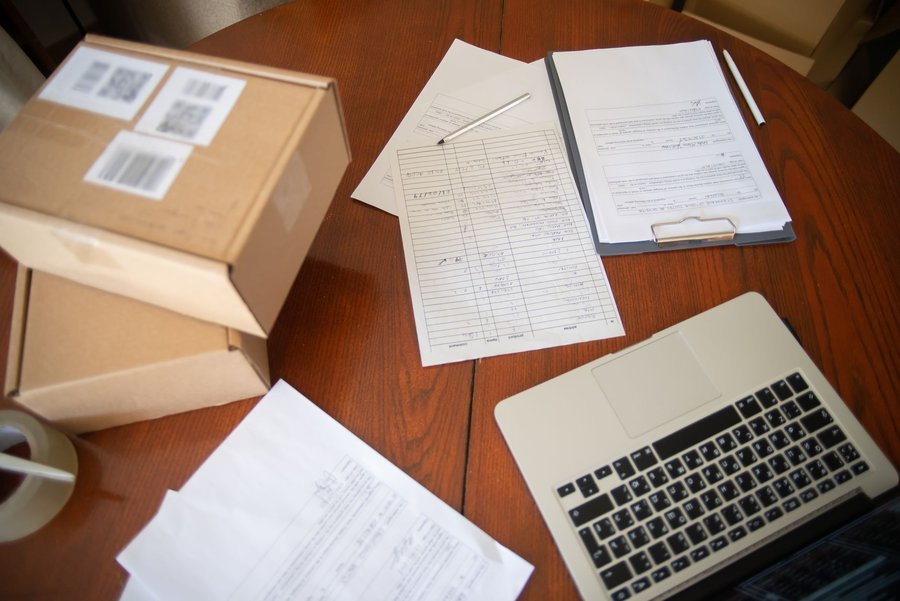
Every order that arrives as a PDF or an email is read by a person and typed into the ERP. Every supplier invoice that does not match its purchase order is checked by hand. Every customer question about a delivery date means someone opens 3 screens.
Our guide to manual ERP data entry covers this work in detail. For the cost picture, the point is scale: this work grows with every new customer and every new order format.
Integration gaps
Many companies run the ERP next to a webshop, a warehouse system, a transport tool, a CRM and a few spreadsheets. Where there is no connector, someone exports, copies and pastes. A planner who keeps the production schedule in Excel, because the ERP's view is too slow, spends part of every day copying between the two.
Rework and bad data
A wrong article code means a wrong shipment, a return, a credit note and an annoyed customer. Duplicate customer records mean invoices sent to the wrong address. According to Gartner research from 2020, poor data quality costs organisations $12.9 million a year on average. Most of our readers are smaller, but the mechanism is the same at any size: a bad record is paid for every time someone uses it.
Customisation upkeep
Every custom field, report and extension built into the ERP has to be tested and often fixed when the vendor updates the system. Cloud ERPs update on the vendor's schedule, so this work comes back several times a year.
Key-person risk
On many order desks one person knows which customer means which site when they write "Delivery: Zwolle" and which article code a customer still uses from 2 catalogues ago. That knowledge is nowhere in the ERP. When that person is ill or leaves, the cost shows up as errors and slow orders, and it rarely gets traced back to the system.
How does EUR 500k a year add up at a mid-sized distributor?
Here is a worked example for an invented company, Noordkamp Lagers B.V., a bearings distributor with about 60 staff, running Business Central. Every number below is an assumption for the example. Replace each with your own.
Assume a fully loaded cost of €55,000 a year per full-time person, about 30,000 order lines a year, and €4 million of supplier spend on payment terms that give a 2% discount for early payment.
| Hidden cost | Assumption | Cost a year |
|---|---|---|
| Order entry from email, PDF and Excel | 3.5 FTE typing orders into the ERP | €192,500 |
| Invoice checking and exceptions | 1.5 FTE matching invoices to orders and receipts | €82,500 |
| Reconciliation between systems | 1 FTE on exports, spreadsheets and corrections | €55,000 |
| Order errors and rework | 2% of 30,000 lines go wrong, at €100 each in freight, handling and credit notes | €60,000 |
| Customisation upkeep and update testing | 400 partner hours at €120 an hour | €48,000 |
| Missed early payment discounts | Half of a 2% discount on €4 million of spend | €40,000 |
| Total | €478,000 |
That is just under €500,000, and the example leaves out training of new starters, internal time on upgrades and the sales lost when a slow quote goes to a competitor. A company with 2 sites or 2 ERPs can pass the figure.
In this example, labour around the system is the largest line, at more than half the total. Most of the lines also move together: fewer orders typed by hand means fewer errors, fewer credit notes and less reconciliation.
Topa Bathroom Products shows what the labour line looks like in practice. Topa, a Dutch wholesaler of bathroom products serving about 700 customers, had people keying every order into Business Central by hand before it worked with us.
"We had four and a half people · about 3.8 full-time equivalents · sitting there all day long, manually entering every single order into our Business Central ERP." Bryan van Ingen, Operations Director, Topa Bathroom Products
Today over 90% of Topa's incoming orders are processed into Business Central with no manual input, customers get their order confirmation within 30 seconds, and the people who did order entry moved to after-sales and service planning. The Topa story tells how.
What do upgrades and end-of-support dates cost?
Upgrades arrive on a date the vendor sets. An ERP version reaches the end of its vendor support, and the company has to choose between a migration project and paying more to stay where it is.
SAP is the clearest current case. In February 2020 SAP announced mainstream maintenance for SAP Business Suite 7 core applications, including SAP ERP 6.0, until the end of 2027. It offered optional extended maintenance from the start of 2028 to the end of 2030, at a premium of 2 percentage points on the existing maintenance basis. It committed to maintaining SAP S/4HANA until the end of 2040.
For a company on SAP ERP 6.0 that means 3 choices, each with a cost that was not in the original business case:
- Migrate to S/4HANA: a new project, with its own partner fees, testing and internal time.
- Stay on extended maintenance to 2030: a higher maintenance bill for the same system.
- Do neither: run a system without mainstream support, with the risk that brings.
Customisations make every one of these more expensive. Each custom extension has to be checked, rebuilt or dropped in the migration. This is why we argue for keeping new work outside the ERP's core where possible. Our post on filling the gaps in SAP without customising it goes into the SAP case, and the SAP integration page explains how we connect.
Cloud ERPs spread this cost out. There is no big migration. The vendor updates the system on its own schedule, and every customisation needs testing each time.
Can you capitalise ERP implementation costs?
Sometimes, and the answer affects how hidden the cost looks. A cost that can be capitalised is spread over years on the balance sheet. A cost that must be expensed hits the profit and loss account in the year it is spent.
For cloud ERPs under IFRS, the IFRS Interpretations Committee settled a common question in an agenda decision finalised in 2021. It concluded that a customer in a software as a service arrangement often would not recognise an intangible asset for configuration or customisation costs, because it does not control the software. Those costs are expensed when the services are received. Where the supplier's configuration services are not distinct from the right to use the software, the cost is expensed over the contract term.
In practice that means a large share of a cloud ERP implementation can land in the year's results rather than on the balance sheet. A company that budgeted for a capitalised project can find its operating result hit harder than planned. Rules differ for software you control, for on-premise licences and under local accounting standards, so ask your auditor before the project starts.
Which fixes work, and what does each cost you?
Companies that find their hidden costs usually try one of 5 fixes. Each one moves some of the cost and leaves something behind.
| Fix | What it does | What it leaves behind |
|---|---|---|
| More customisation | Builds the missing step into the ERP | Upkeep at every update, a harder next migration |
| More software | Adds a tool for each gap | More systems to connect, more places for data to differ |
| More people | Absorbs volume by hiring | Cost grows with volume, key-person risk stays |
| Rule-based automation (RPA) | Copies clicks on fixed screens | Breaks when a layout or screen changes, needs a specialist |
| AI agents working in the ERP | Read documents in any format and do the work in the ERP's own fields | A new way of working to set up and supervise at first |
Why customisation and more software fall short
Customisation fixes a gap for the case you designed it for. The order that arrives in a format nobody foresaw still goes to a person. More software tends to add an integration project for each tool, and each new tool holds its own copy of the customer and item data. Panorama Consulting Group's finding that additional technology needs are the leading cause of budget overruns points at the same pattern during projects.
Why more people is the default, and its cost
Hiring is the fix that needs no project, so it is what many companies do. The table above shows the price: the labour line is the largest hidden cost, and it rises with every new customer. Some companies move the same work to an outsourcing provider, which changes who does it and adds its own costs, as our post on finance and accounting outsourcing costs explains.
What AI agents change
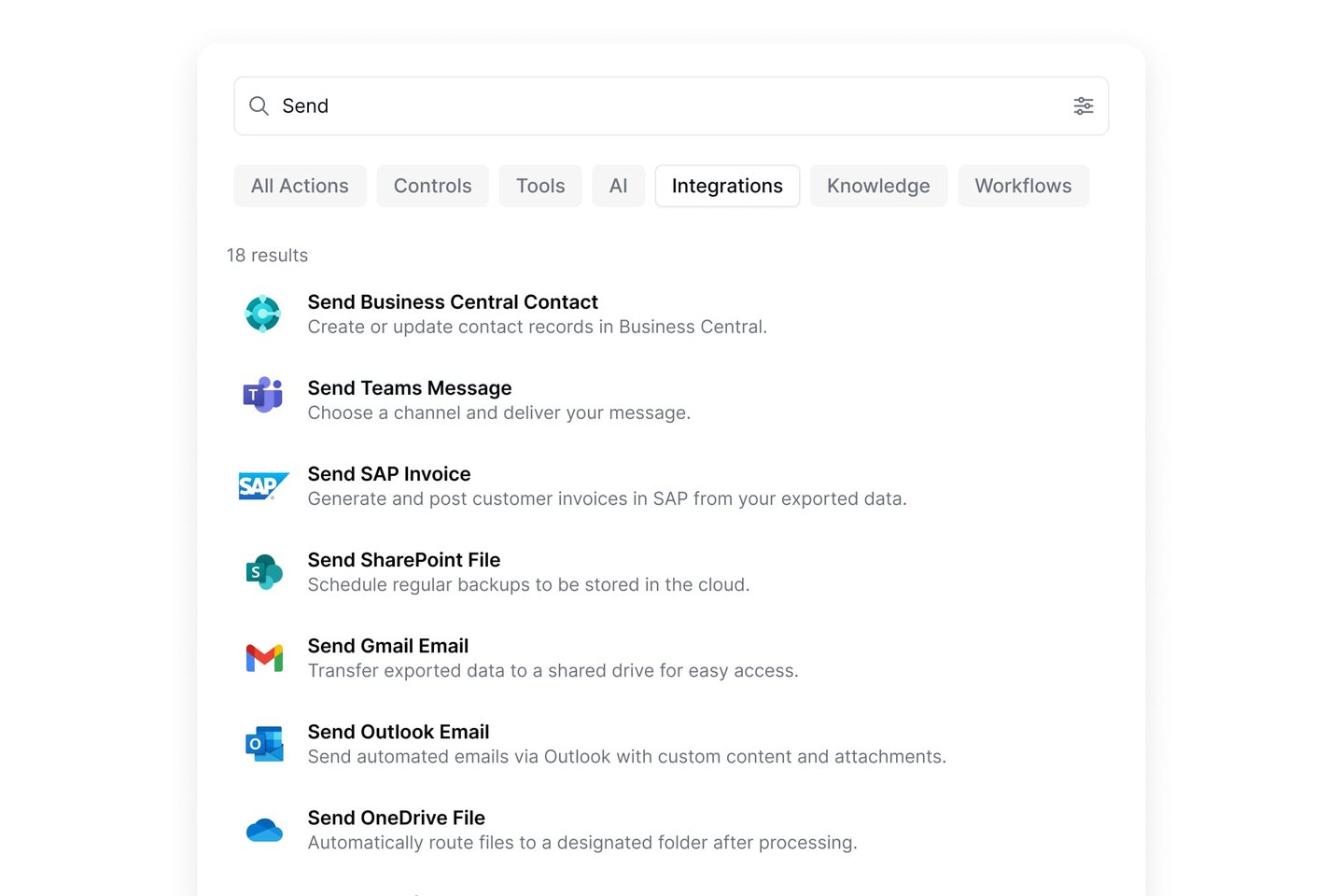
An AI agent reads the order, invoice or email as a person would, checks it against your ERP data and does the work in the ERP's own fields. It fills the same fields a person fills, through the system's own interfaces, so the ERP checks the work the same way. Nothing is migrated and the ERP's core stays untouched, which keeps the next upgrade simpler.
Lleverage's agents work in SAP, Microsoft Dynamics 365 Business Central and Finance and Operations, Navision, Infor, Exact, AFAS, Epicor, Ridder iQ, IBM AS/400, Oracle and NetSuite, all listed with our ERP integrations. On-premise systems are reached without opening them to the internet, and where there is no API, the agent works the screen with the access a person has.
Microtechniek, a 130-person engineering firm, runs Ridder iQ on-premise. Its installation had no API module, which is where 2 earlier automation projects at similar companies had stopped. In August 2026, Microtechniek had between 45 and 71 purchase orders a week written into the ERP without anyone typing them. Its admin desk got more than 500 hours a year back. The Microtechniek story describes how the connection was built.
The agent scores how sure it is of each piece of work. Below the line a person decides; above it the work goes through on its own, and only you move the line. When the agent needs an answer, such as a missing purchase order number, it asks a colleague in Microsoft Teams or Slack and carries on with the reply. Every step is in the audit trail, with roles and scopes per connection, as the control page shows.
Will AI replace your ERP?
No. The ERP stays the system of record: stock, prices, orders, the ledger. What changes is who does the work around it. The reading, typing, matching and chasing that people do today between the inbox and the ERP is the work AI agents take over first.
Replacing an ERP to fix manual work around it starts the cycle again: a new project, new overruns, new customisations and a new end-of-support date in 10 or 15 years. Most of the ERP hidden costs in the worked example sit outside the ERP, so that is where they are cheapest to remove.
ERP vendors are adding their own AI features, and some of them will cover part of the work. Before you count on them, check what they handle in your languages, your document formats and your exceptions, and whether they cover the other systems the work touches. A process that runs across the ERP, the inbox, a carrier portal and a spreadsheet needs something that works across all four.
The ERP is already the core of most businesses. According to Eurostat, 41% of small EU enterprises and 89% of large ones used ERP software in 2025.
How do you measure your own ERP hidden costs in 30 days?
Finding your own number takes about 4 weeks and the people who do the work.
Week 1: count the manual work
Pick the 3 processes with the most hands on them, usually order intake, supplier invoices and customer questions. For 1 week, have the team note how long each item takes and how many there are. Multiply by a loaded hourly cost. In the worked example above, this is the largest line.
Week 2: count the errors
Pull last quarter's credit notes, returns and corrected orders. Tag each with its cause. Count the ones that started as a typing or matching error, and price each at the freight, handling and time it cost.
Week 3: count the upkeep
Ask your ERP partner for last year's hours on fixes, updates and changes to customisations. Add your own IT time. Note the end-of-support date of your ERP version and what your partner expects the migration to cost.
Week 4: pick the first process
Put the numbers in a table like the Noordkamp example. Choose the process with the highest cost and the most repetitive work. That is usually order intake. It is the process with the clearest before and after, which makes the business case easy to check.
Then run it supervised. With Lleverage, the first process typically runs supervised within a few weeks, built by our forward deployed engineers with your team. The agent prepares the work and a person approves it until the numbers show it can go through on its own. Our post on automating order processing without replacing your ERP shows what that looks like for order intake.
On cost: we charge one monthly price per agent, with integration, AI usage and ongoing improvement included, and no seats or usage bills. We price after we have seen the work, as the pricing page explains.
Frequently asked questions
What are the most common ERP hidden costs?
The most common ERP hidden costs are manual work around the system, such as typing orders and checking invoices, then reconciliation between the ERP and other tools, rework from data errors, upkeep of customisations at every update, and migrations when a version loses vendor support. In our worked example, labour around the system is the largest of these.
How much does ERP software really cost a mid-sized company?
The quote covers licences, implementation, data migration and training. The full cost adds the yearly running costs the quote leaves out. In our worked example for a 60-person distributor, those running costs come to just under €500,000 a year, more than half of it labour spent on work around the system.
Can you capitalise ERP implementation costs?
It depends on the software and the accounting standard. Under IFRS, the 2021 agenda decision on cloud computing arrangements found that customers often cannot capitalise configuration or customisation costs for software they do not control, so those costs are expensed. On-premise licences and local standards can differ, so confirm with your auditor first.
Will AI replace ERP systems?
AI is unlikely to replace the ERP as the system of record for stock, prices, orders and the ledger. AI agents take over the manual work around it: reading orders and invoices, matching them against ERP data and creating the sales orders or bookings a person would, in the ERP the company already runs.
How do you reduce ERP hidden costs without replacing the ERP?
Measure the manual work, errors and upkeep for a month, then automate the costliest repetitive process first, usually order intake. AI agents that work in the ERP's own fields remove that work without adding customisations, so the next upgrade does not get harder. Start supervised, and let the agent run alone once the numbers hold.