Zapier struggles with complex workflows, document processing, and intelligent decision-making. This guide explores 5 superior alternatives: Lleverage (AI-native automation), Make (visual workflows), Power Automate (Microsoft integration), n8n (open-source control), and Workato (enterprise scale). Learn which platform fits your needs and see real examples of companies saving €300,000+ annually.
You've built your entire automation strategy around Zapier. It works great for connecting your CRM to your email tool. Your marketing team loves how it syncs their social media posts. Everything seems perfect until...
You try to automate something actually complex. Like processing invoices that come in different formats. Or building a customer support workflow that needs to understand context and make decisions. Suddenly, Zapier's simplicity becomes its biggest limitation.
Sound familiar? You're not alone.
After analyzing 23 automation platforms and speaking with leaders running real businesses (not just playing with tools), I've discovered something crucial: while Zapier revolutionized simple app connections, it's hitting its limits just as businesses need more sophisticated automation.
The good news? There's a new generation of automation platforms that can handle the complex, messy, real-world workflows that Zapier struggles with. And no, they don't require a PhD in computer science to use.
Why Zapier Falls Short for Complex Workflows
Let's be honest about what Zapier does well. With over 7,000 app integrations and a user-friendly interface, it's fantastic for straightforward automations. Need to save Gmail attachments to Dropbox? Perfect. Want to add new customers from your website to a spreadsheet? Zapier's got you covered.
But here's where things get tricky:
The Linear Logic Problem
Zapier follows a rigid "if this, then that" structure. Real business processes rarely work that way. They have exceptions, require judgment calls, and need to adapt based on context. When your invoice format changes slightly, or a customer asks something unexpected, Zapier's automations break.
The Document Processing Nightmare
Try processing a document with Zapier. You'll quickly discover it can move files around but can't actually understand what's in them. That stack of invoices in various formats? Zapier sees them as mysterious black boxes.
The Scaling Cost Trap
Zapier's task-based pricing seems reasonable until you scale. Processing 1,000 invoices monthly? That's 1,000 tasks. Add a few steps to your workflow, and suddenly you're looking at thousands in monthly fees for what should be simple automation.
The Intelligence Gap
Most critically, Zapier lacks true intelligence. It can't understand context, learn from patterns, or make decisions. It's like having a very efficient but completely literal assistant who does exactly what you say, even when it makes no sense.
As one frustrated operations manager told me: "We spent months building complex Zapier workflows with dozens of steps and filters trying to handle edge cases. Then our invoice format changed, and everything broke. We were back to manual processing overnight."
What Modern Businesses Actually Need from Automation
After analyzing the latest business process automation trends, it's clear that companies need far more than simple if-this-then-that connections. Over 40% of finance professionals and 33% of accounting professionals say automating purchasing and procurement processes is a top priority, yet most are stuck with tools that can't handle the complexity of real business workflows.
What businesses actually need in 2026:
Intelligence Over Instructions
By 2028, Gartner predicts that 33% of enterprise software applications will include agentic AI, up from less than 1% in 2024. This shift is expected to enable 15% of day-to-day work decisions to be made autonomously by AI agents. Your automation platform needs to understand context, not just follow rules.
Document Understanding, Not Just File Moving
With mountains of invoices, contracts, and forms flowing through every business, automation that can't actually read and understand documents is essentially useless. You need platforms that can extract meaning from any document format without templates.
Adaptive Learning, Not Static Scripts
Traditional RPA bots follow fixed rules. They click, copy, and move data around, but they can't adjust when something changes. AI agents, on the other hand, can interpret context, make decisions, and course-correct in real time.
End-to-End Process Automation
Instead of piecing together multiple tools, businesses need platforms that can handle complete workflows from start to finish, including decision-making, exception handling, and human collaboration.
The Top 5 Zapier Alternatives for Complex Workflows
1. Lleverage - The AI-Native Game Changer
Best for: Complex document processing, intelligent workflows, and teams wanting to describe automations in plain English
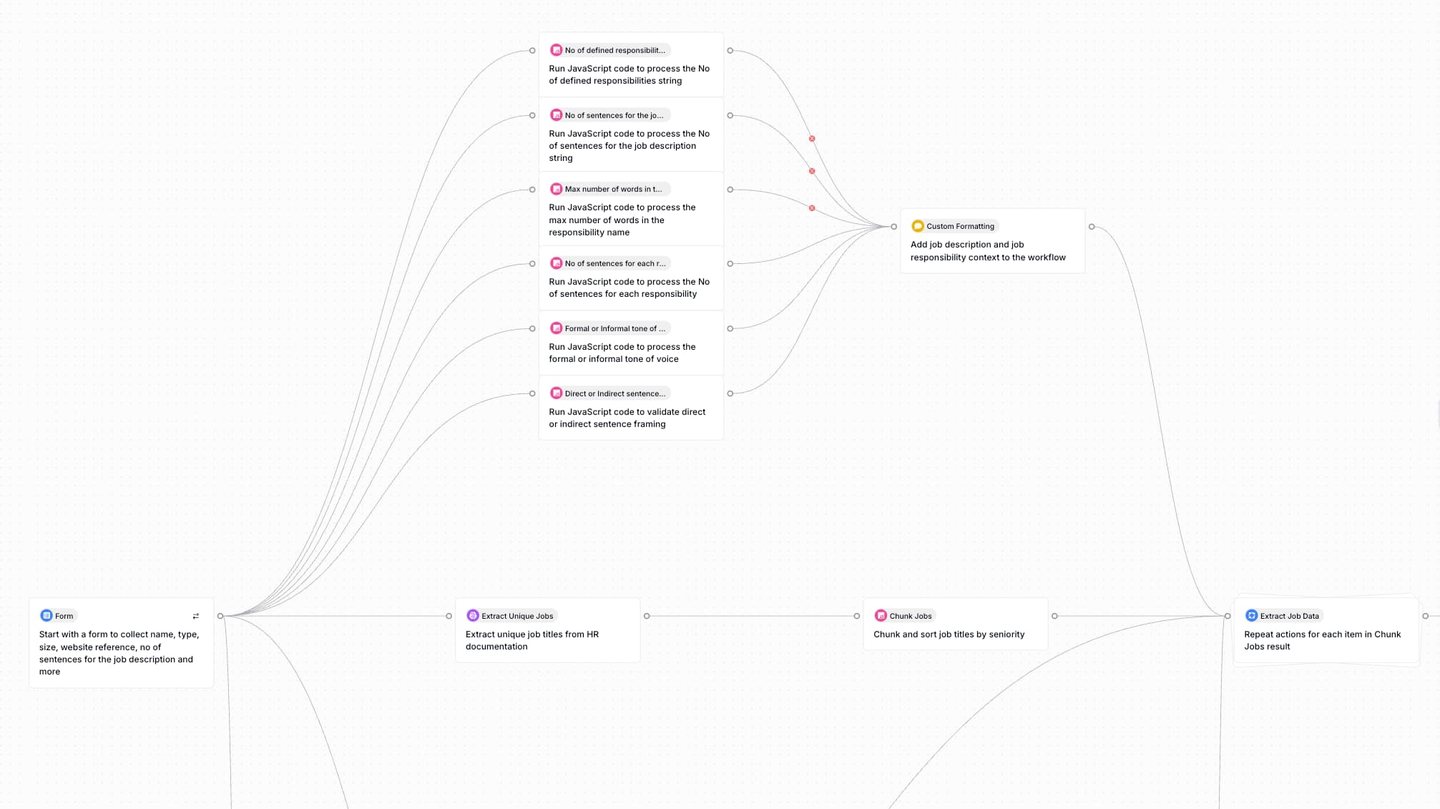
Let me be upfront: Lleverage represents a fundamental shift in how automation works. While Zapier makes you build workflows step-by-step, Lleverage lets you describe what you want in plain English, and the AI builds it for you.
Why It's Different:
Remember that invoice processing nightmare I mentioned? With Lleverage's AI document processing, you simply describe what information you need extracted. The system understands invoices regardless of format - no templates, no breaking when suppliers change their layout.
Real-World Impact:
- Roamler eliminated a 15-person data extraction team, saving €300,000+ annually
- Ynvolve reduced quote creation time by 90% while forecasting 50% revenue growth
- Processing time dropped from hours to minutes for complex documents
Key Features:
- Natural language automation creation - just describe what you want
- Built-in vector databases and RAG pipelines for superior accuracy at scale
- Over 2,000 integrations out of the box
- Multiple deployment options (API, chat, forms, embedded)
- AI agents that can make autonomous decisions
Best For: Companies dealing with unstructured data, complex decision-making processes, or teams without technical expertise who need sophisticated automation
2. Make (formerly Integromat) - The Visual Workflow Master
Best for: Teams who like seeing their workflows visually and need powerful data manipulation
Make takes a different approach from Zapier's linear connections. Its visual workflow builder shows you exactly how data flows through your processes, making complex automations easier to understand and debug.
Why It Stands Out: Where Zapier struggles with complex branching logic, Make excels. You can create sophisticated workflows with multiple paths, error handling, and data transformations that would require dozens of separate Zaps.
Key Strengths:
- Powerful visual workflow builder that actually makes sense
- Advanced data manipulation capabilities
- Flexible scheduling with precise timing controls
- Better pricing for high-volume automations
- Strong error handling and debugging tools
Limitations:
- Learning curve steeper than Zapier
- Can become visually overwhelming for very complex workflows
- Limited AI capabilities beyond basic integrations
Best For: Teams handling moderate to complex workflows who appreciate visual interfaces and need better data transformation than Zapier offers
3. Microsoft Power Automate - The Enterprise Powerhouse
Best for: Organizations already using Microsoft 365 who need enterprise-grade automation
If your company runs on Microsoft, Power Automate offers something Zapier can't: deep, native integration with the entire Microsoft ecosystem. But it's more than just an Office connector - it's a comprehensive automation platform.
The Microsoft Advantage:
- Seamless integration with Teams, SharePoint, Dynamics, and all Microsoft products
- AI Builder for creating custom AI models without code
- Desktop automation (RPA) included for legacy applications
- Enterprise security and compliance built-in
Where It Shines:
- Automating approval workflows across Microsoft tools
- Processing documents stored in SharePoint
- Creating sophisticated business logic with Power Apps integration
- Meeting strict enterprise compliance requirements
Limitations:
- Most powerful within Microsoft ecosystem
- Interface can be overwhelming for simple automations
- Learning curve for non-technical users
Best For: Microsoft-centric organizations needing automation that goes beyond simple app connections
4. n8n - The Open-Source Powerhouse
Best for: Technical teams wanting complete control and customization without vendor lock-in
n8n offers something unique: the power of enterprise automation without the enterprise price tag. It's open-source, self-hostable, and infinitely customizable.
Why Consider n8n Over Zapier:
- Complete data privacy with self-hosting option
- No usage limits when self-hosted
- Custom JavaScript functions for complex logic
- Fair-code license means you own your automations
Technical Advantages:
- Full access to webhook data and responses
- Custom API integrations without waiting for official support
- Version control for your workflows
- Complete debugging visibility
Trade-offs:
- Requires technical expertise to set up and maintain
- Fewer pre-built integrations than Zapier
- Self-hosting means managing infrastructure
Best For: Technical teams who value control, customization, and data privacy over simplicity
For a detailed comparison of n8n with other platforms, check out our analysis of n8n vs Lleverage vs Make vs Zapier.
5. Workato - The Integration Platform for Scale
Best for: Large enterprises with complex integration needs across multiple systems
Workato isn't trying to be Zapier for enterprises - it's something entirely different. Built for organizations with hundreds of applications and complex data flows, it offers capabilities Zapier can't touch.
Enterprise-Grade Features:
- Handles millions of transactions without breaking a sweat
- Advanced error recovery and transaction management
- Recipe lifecycle management for version control
- Real-time event streaming capabilities
- API management and custom connector SDK
Where Workato Excels:
- Synchronizing data across multiple enterprise systems
- Complex ETL (Extract, Transform, Load) processes
- Building production-grade integrations
- Meeting enterprise security and compliance requirements
The Reality Check:
- Significant learning curve
- Enterprise pricing (think $10,000+/year minimum)
- Overkill for simple automations
- Requires dedicated team to manage
Best For: Large organizations with complex integration requirements, dedicated IT teams, and enterprise budgets
How to Choose the Right Alternative
Selecting the right Zapier alternative isn't about finding the "best" platform - it's about finding the best fit for your specific needs. Here's how to make the right choice:
Start With Your Biggest Pain Point
What's the one workflow that's driving you crazy? For most businesses, it's one of these:
Document Processing Hell: If you're drowning in invoices, contracts, or forms, you need Lleverage's AI document processing or similar AI-native capabilities. Zapier simply can't handle this effectively.
Complex Business Logic: When your workflows have multiple conditions, branches, and exceptions, Lleverage, Make or n8n's visual builders make more sense than Zapier's linear approach.
Microsoft Everything: If you live in the Microsoft ecosystem, Power Automate is the obvious choice. The native integration depth can't be matched.
Scale and Reliability: For enterprise-scale operations, Lleverage or Workato's infrastructure and reliability justify the investment.
Consider Your Team's Capabilities
Be honest about your team's technical skills:
- Non-technical team? Lleverage's natural language approach or Make's visual interface
- Some technical knowledge? n8n offers power with reasonable complexity
- Dedicated IT team? Workato or n8n for maximum control
- Microsoft skills? Power Automate leverages existing expertise
Think Beyond Today
Your automation needs will grow. Choose a platform that can scale with you:
- Can it handle increasing complexity?
- Will costs scale reasonably with usage?
- Can you add AI capabilities later?
- Is there room to grow without switching platforms?
Calculate True ROI
About 25% of accounts payable departments don't use automation, and 73% say their team struggles to ensure purchase orders and invoices match. The cost of staying with limited automation often exceeds the investment in better tools.
For a detailed ROI analysis, try our AI automation ROI calculator to see potential savings from upgrading your automation.
Implementation Strategy: Making the Switch
Moving from Zapier doesn't have to be painful. Here's a proven approach:
Phase 1: Pilot Project (Week 1-2)
Don't migrate everything at once. Choose one complex workflow that Zapier struggles with:
- Document processing workflow
- Multi-step approval process
- Customer onboarding with decisions
- Complex data transformation
Phase 2: Parallel Running (Week 3-4)
Run your new automation alongside Zapier to ensure it works correctly:
- Compare outputs
- Verify data accuracy
- Test edge cases
- Gather user feedback
Phase 3: Gradual Migration (Month 2-3)
Move workflows systematically:
- Start with high-value, complex processes
- Keep simple Zapier automations running if they work well
- Document everything for your team
- Train users on the new platform
Phase 4: Optimization (Month 3+)
Once migrated, optimize for your new platform's strengths:
- Add AI capabilities where valuable
- Consolidate related workflows
- Implement advanced features
- Measure and improve performance
The Bottom Line
Zapier revolutionized simple automation, but business needs have evolved beyond simple connections. By 2025, Gartner predicts hyperautomation will impact one-fifth of all business processes, driving efficiency and agility in operations. If you're still trying to force complex workflows through Zapier's linear logic, you're fighting an uphill battle.
The alternatives we've covered each excel in different areas:
- Lleverage transforms how you think about automation with AI-native intelligence
- Make provides visual clarity for complex workflows
- Power Automate delivers enterprise features within Microsoft's ecosystem
- n8n offers complete control for technical teams
- Workato scales to enterprise complexity
The question isn't whether to move beyond Zapier's limitations - it's which alternative best fits your needs. And with modern platforms like Lleverage offering free tiers to get started, there's no reason to stay stuck with automation that can't handle your real-world complexity.
Ready to see what modern automation can really do? Book a demo with Lleverage and discover how AI-native automation handles the complex workflows that Zapier can't touch. Or dive deeper into the world of AI agents vs AI workflows to understand the future of business automation.
FAQ
Q: Can I use multiple automation platforms together?Absolutely. Many companies use Zapier for simple connections while leveraging platforms like Lleverage for complex document processing and AI-powered workflows. There's no rule saying you must choose just one.
Q: How long does it take to migrate from Zapier?For simple workflows, migration can happen in hours. Complex setups typically take 2-4 weeks for complete migration and testing. AI-native platforms like Lleverage can actually rebuild your workflows faster than traditional migration.
Q: Will I lose my Zapier integrations?Most alternatives offer similar or better integration options. Lleverage provides over 2,000 integrations, Make has extensive coverage, and platforms like n8n let you build custom integrations for anything missing.
Q: Is AI automation reliable enough for critical processes?Modern AI automation achieves 95-99% accuracy rates, often exceeding human performance. With proper setup and monitoring, it's more reliable than manual processes or rigid rule-based automation.
Q: What about data security with these alternatives?Enterprise platforms like Lleverage, Power Automate, and Workato offer enterprise-grade security, SOC 2 compliance, and GDPR adherence. Open-source options like n8n give you complete control over your data.
Sources
- FlowForma Blog - Business Process Automation Trends - https://www.flowforma.com/blog/business-process-automation-trendsInsights on AI-driven process automation and citizen development trends for 2025
- Cflow - Business Process Automation (BPA) Trends for 2025 - https://www.cflowapps.com/business-process-automation-trends/Mobile-friendly automation solutions and security considerations in BPA
- Zip - 42 Must-Know Business Process Automation Statistics [2025] - https://ziphq.com/blog/business-process-automation-statisticsKey statistics on automation priorities in finance and accounting departments
- FlowForma - 11 Business Process Automation Statistics and Trends in 2025 - https://www.flowforma.com/blog/business-process-automation-statisticsAI transformation statistics and process optimization focus areas
- SS&C Blue Prism - The Future of Business Process Automation Trends 2025 - https://www.blueprism.com/resources/blog/the-future-of-business-process-automation-trends/Intelligent automation integration and BPM/BPA technology adoption
- Codewave Insights - Business Process Automation Trends in 2025 - https://codewave.com/insights/future-business-process-automation-trends/AI agents vs traditional RPA bots and autonomous workflow composition
- Blueprint Systems - From AI to Lifecycle Management: 6 Trends Shaping RPA in 2025 - https://www.blueprintsys.com/blog/6-trends-shaping-rpa-in-2025Hyperautomation predictions and its impact on business processes
- ShareFile - The Future of Work: Workflow Automation Trends Shaping 2025 - https://www.sharefile.com/resource/blogs/workflow-automation-trendGlobal workflow automation market size and growth projections
- TechTarget - 10 Trends Shaping the Future of BPM in 2025 - https://www.techtarget.com/searchcio/tip/6-trends-shaping-the-future-of-BPMBPM evolution with AI, machine learning, and process mining
- Imaginovation - A Complete Guide to Business Process Automation in 2025 - https://imaginovation.net/blog/business-process-automation-guide/Voice-activated automation and hyperautomation implementation