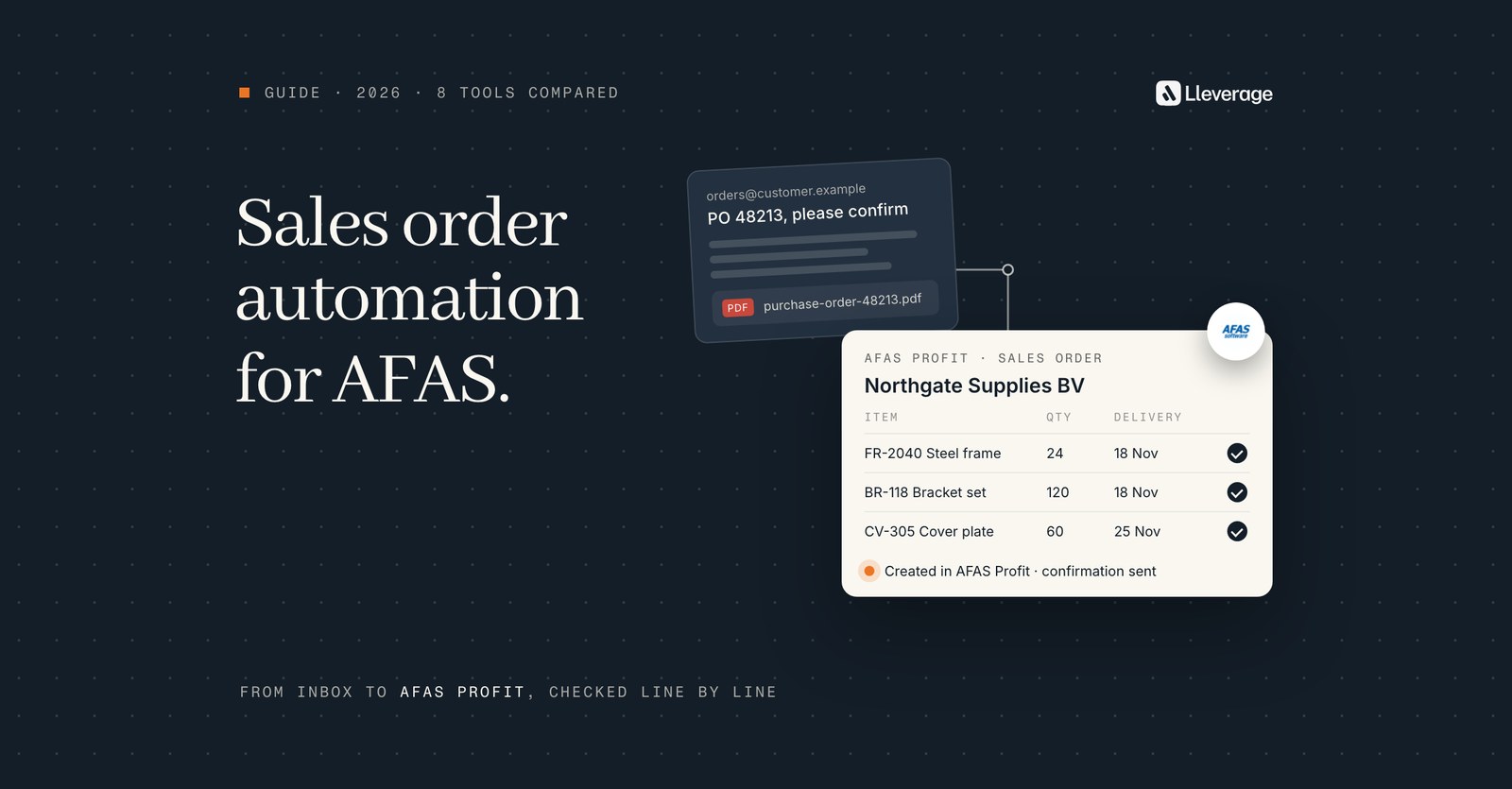
AFAS order automation software reads the orders customers send by email, PDF, spreadsheet or EDI and creates the sales order in AFAS Profit. Our pick is Lleverage, our own product, for AFAS Profit companies whose orders arrive in mixed formats with customer-specific rules. Below we compare it with 7 other options, from AFAS's own tools to certified connectors.
At Lleverage we think the right choice depends on what your order desk still types by hand. A desk that receives EDI from retailers needs a different tool from a desk that rekeys 40 PDF layouts and free-text emails a day. We build AI agents for order management in AFAS Profit, and we recommend them where a desk rekeys orders all day. To see an agent work on your own orders, book a demo.
This guide is the AFAS companion to our general list of sales order automation software, which compares tools across SAP, Business Central and Dynamics 365. For the step by step of how an emailed order becomes a sales order, read our sales order automation guide. If you are still weighing the ERP itself, read AFAS vs Business Central first.
How we picked these tools
We looked for the tools an AFAS Profit customer would put on a shortlist to turn customer orders into verkooporders, the sales orders in Profit Ordermanagement. A tool made the list when it meets at least one of these tests:
- It creates sales orders in AFAS Profit, through a certified connector on AFAS's partner portal or through the Profit API.
- It reads at least one of the formats customers order in: email bodies, PDF attachments, Excel or CSV files, or EDI messages.
- It is something a mid-size wholesaler, distributor or manufacturer in the Netherlands or Belgium can buy and run today.
AFAS's own options are on the list too, because for some desks they are enough. Lleverage is our product and our pick, so it comes first. Each other tool is described as its vendor describes it on its own pages in November 2026. What a vendor does not state, we leave out. After Lleverage, the order follows the kind of order each tool handles, from free-text email to EDI to a build of your own.
What does AFAS order automation have to do inside AFAS Profit?
In AFAS Profit a sales order carries the customer, the items, the prices and a delivery date. AFAS applies the customer's price list to every order, shows the current stock status, and reserves the stock as soon as the order is added. Any automation has to fill those same fields, so Profit can run its own checks on the result.
An outside application reaches Profit through an App Connector, which the AFAS administrator sets up. The App Connector decides which connectors the application may call:
- GetConnectors read data out of Profit. They are built on a data collection and called with a plain GET request, so a tool asks again whenever it needs fresh data. Order tools use them to look up customers, items, prices and stock.
- UpdateConnectors add, change or delete records. For sales orders that is FbSales, a nested endpoint where an order and its lines go in as one transaction.
Before Profit creates a record, it checks the data. A request that fails those checks is refused, so an automated order meets the same rules as one keyed by hand.
Most of the work happens before the UpdateConnector call. FbSales takes structured fields: a customer number, item codes, quantities. Your customers send something else. It might be a PDF with their own article numbers, a spreadsheet in their own columns or an email that says "same as last week, plus 2 pallets". Each tool on this list either turns that into fields or relies on the customer sending structured data, as EDI does.
What changes for AFAS integrations in 2027?
AFAS is moving every integration from classic tokens to OAuth. In September 2026, existing classic tokens received an expiry date of 1 May 2027. The last day an App Connector with a classic token works is 31 August 2027. From Profit 9, an administrator can switch an existing App Connector to Hybrid or OAuth without building a new one.
This affects every connector on this list. Before you sign, ask each vendor whether its AFAS connection already runs on OAuth, and who does the switch if it does not.
Which AFAS order automation tools should you compare?
These 8 options cover what an AFAS order desk receives: free-text emails, PDF purchase orders, spreadsheets and EDI messages.
| Tool | What it is | Orders it reads | How it reaches AFAS | Choose it when |
|---|---|---|---|---|
| Lleverage | AI agents for the back office | Email bodies, PDF, Excel and CSV files | Engineers connect the agent to AFAS Profit, filling the fields your desk fills | Customers send orders in their own PDFs, spreadsheets and emails, and someone keys them into Profit today |
| App4Sales AI Order Agent | AI order intake from a B2B sales app vendor | Emails, PDF attachments, uploaded documents | Certified AFAS connector, shared with its sales app and B2B webshop | You also want a sales app or B2B webshop on AFAS, and a person approves every order |
| Ecobit Verkooporderherkenning Pro | Scan and recognition add-on for sales orders | PDF orders from the mailbox, scanned paper orders | Ecobit's orders connector, listed as certified on the partner portal | Most orders are PDFs in steady layouts and you want a certified add-on running within a day |
| OrderChief | EDI connector for brands that supply retail | EDI orders from retailers and wholesalers | Certified AFAS connector built on Get and UpdateConnectors | Retailers ask you for an EDI connection, with SSCC and pallet-level packing slips |
| Ecobit Connect for AFAS and Transus | EDI connector through the Transus network | Orders, packing slips and invoices exchanged as EDI | Connector between AFAS and Transus, listed as certified | Your trading partners already exchange EDI messages through Transus |
| Alumio | Integration platform with an AFAS connector | Structured data from other systems | Publishes data to the AFAS connectors you name, such as an order | Your IT team wants one platform for webshop, marketplace and ERP flows around AFAS |
| AFAS Profit on its own | The ERP's own order entry, Jonas AI and partner network | Orders keyed by a person | Native | Volumes are low, or a person checks every order at the screen anyway |
| Your own build on the AFAS Profit API | Code written by your developers or a partner | Whatever your code reads | UpdateConnectors such as FbSales, through an App Connector | You have developers and few order formats to read |
For a desk where most orders are PDFs in a handful of fixed layouts, Ecobit fits better than Lleverage. It is a certified AFAS add-on, Ecobit names implementation in 1 day, and its recognition learns through training. For a brand that supplies supermarkets or DIY chains, OrderChief fits better, because those orders arrive as EDI and need no reading at all.
Where does each AFAS order automation tool fit?
Lleverage, our pick for AFAS order desks with mixed formats and customer-specific rules

An AI agent watches the shared order inbox and reads each order as the customer sent it: the email body, a PDF purchase order, an Excel or CSV file. It works out who ordered, matches the delivery address to one of that customer's addresses in Profit and maps each line to an item code. Before anything is written, it compares each price with the customer's price agreement and each quantity with stock in the warehouse it ships from. Credit status is checked too.
With AFAS, our engineers connect the agent to AFAS Profit with your AFAS administrator, through an App Connector and as a custom integration where needed. The agent fills the same sales order fields your desk fills, so Profit reserves the stock and runs its own blocks as it would for an order keyed by hand. Nothing is migrated, and AFAS stays the system of record.
The agent scores how sure it is of each order. Above the line you set, the sales order is created on its own. Below it, a person decides, with the line, the check and the customer's words attached. You set the line, and only you change it. When a customer, product or price cannot be resolved, the agent asks a colleague in Microsoft Teams or Slack and carries on with the answer. Corrections go into the agent's Skills, and a person reviews each change before it goes live.
We recommend Lleverage for most AFAS order desks, for 4 reasons:
- It reads orders in any format. One agent covers the email bodies, PDFs and spreadsheets that the other tools here split between them or leave to a person.
- It works inside the system you already run. It fills the same fields a person fills, through AFAS's own interfaces, so Profit checks the work the same way. Nothing is migrated.
- A person looks only at the orders below your confidence line. Ecobit and App4Sales put a person on every order, however routine.
- It learns your customers' rules. Someone on your desk can show the agent how they key an order on a screen-share call. Corrections improve its Skills once a person approves the change.
Our forward deployed engineers build the first order flow with your desk, and it typically runs supervised within a few weeks. Integration, AI usage and ongoing improvement are in one monthly price per agent. Lleverage is SOC 2 Type II and ISO 27001 certified and EU hosted by default. Every action lands in an audit trail.
Orders that already arrive as EDI messages are better left on an EDI connector such as OrderChief, and the agent handles everything around them. AFAS is on our integrations page. Our published order intake stories run on Business Central, Dynamics 365 and Ridder iQ, so ask us to show the agent on your own AFAS test environment. We set the price after we have seen the work.
App4Sales AI Order Agent, for wholesalers who also want a sales app and B2B webshop on AFAS
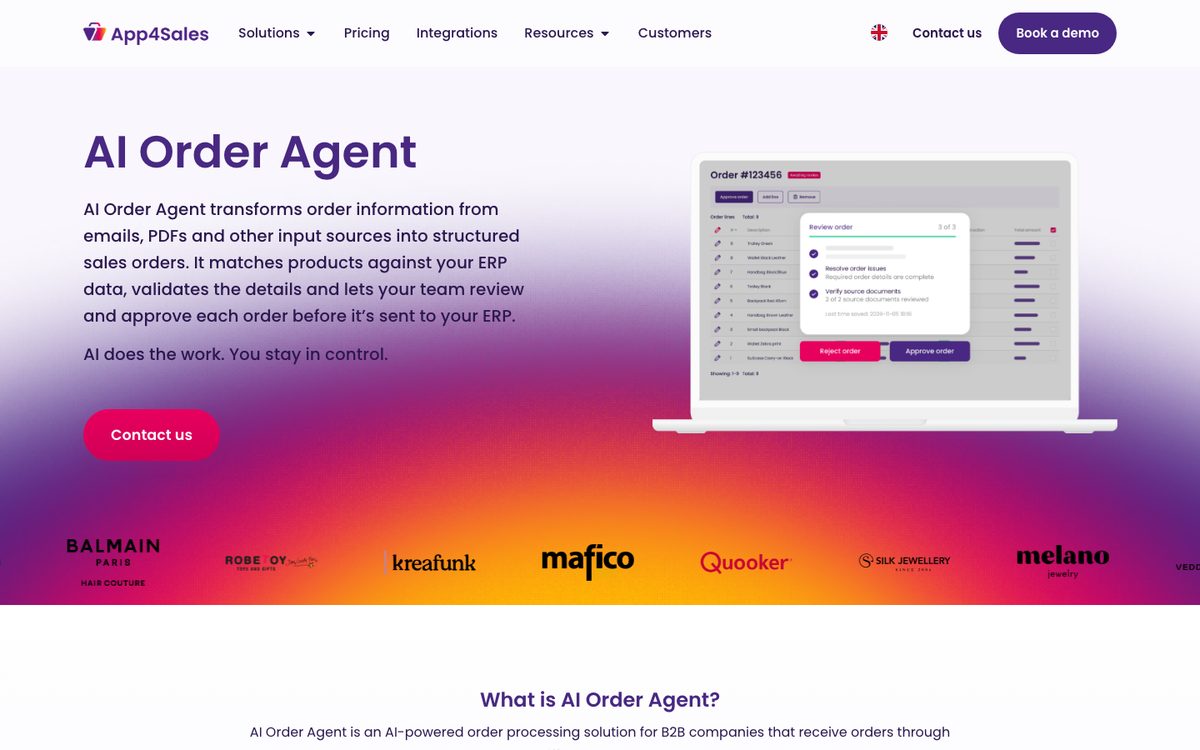
App4Sales sells a mobile sales app and a B2B webshop, and AI Order Agent is its third way to take in orders. It turns order information from emails, PDF attachments and uploaded documents into structured sales orders, without fixed document templates. It matches customer-specific article codes and product descriptions to your products, checks customer data, pricing, stock and your own business rules, and flags missing or uncertain details instead of guessing.
App4Sales is a certified AFAS development partner, and its connector is certified by AFAS for both AFAS Profit and AFAS Online. The same connector serves the sales app, the webshop and the AI Order Agent. App4Sales needs the Profit+ licence from your AFAS side. It also needs a user who can create and run GetConnectors, manage App Connectors and reach the Get and UpdateConnectors.
Every order is reviewed and approved by your team before it goes to the ERP. A person can open the original documents, correct a line and resolve the validation issues first. App4Sales gives one example: an email with 27 PDF attachments becomes 27 separate orders.
Because approval is part of the design, each order still passes a person, however routine it is. App4Sales names emails, PDFs and uploaded documents, so ask whether your customers' Excel files are covered. App4Sales is a product of Orisha, through Orisha Commerce, and fits a wholesaler that wants reps, a webshop and emailed orders on one AFAS connector.
Ecobit Verkooporderherkenning Pro, for PDF orders in steady layouts and a certified add-on in a day
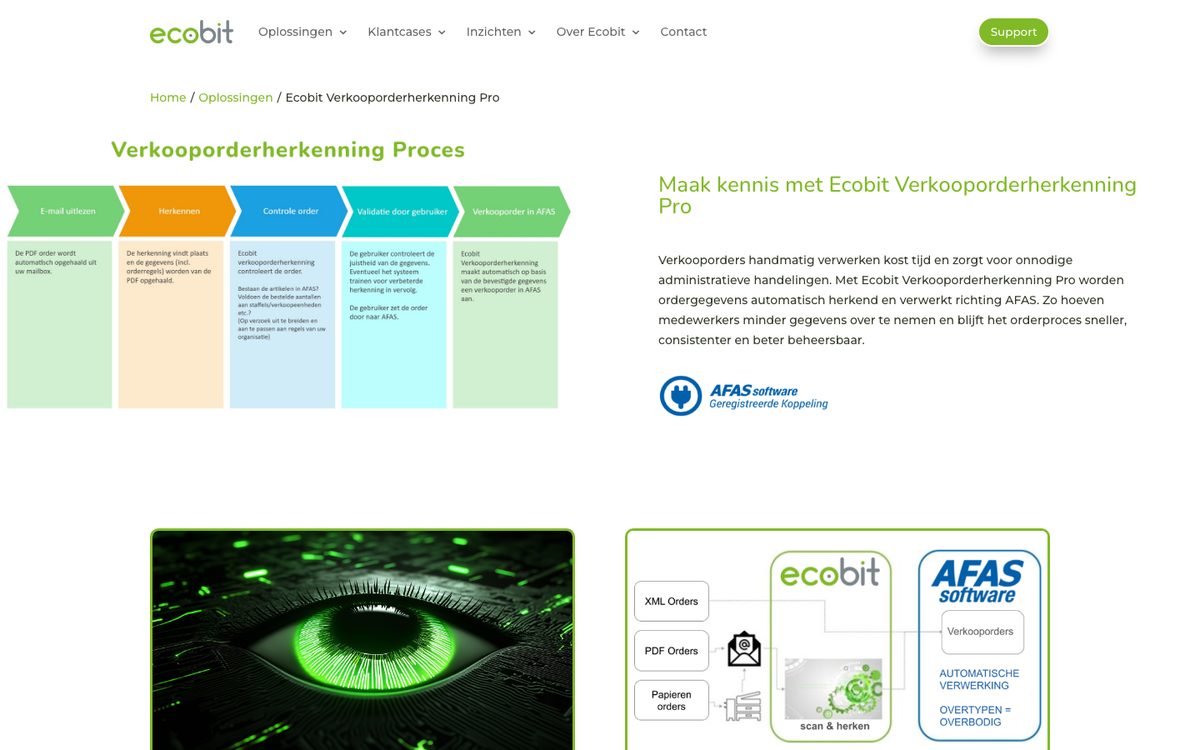
Ecobit is a Dutch software company that builds AFAS connectors, and Verkooporderherkenning Pro is its order recognition product. It picks up PDF orders from your mailboxes, or orders you scan from paper, recognises the order data and reads the sales order into AFAS. A user points at the right data on the PDF instead of retyping it and checks what was taken over. Then the user sends the order on to AFAS, where the sales order is created and the standard order process continues.
Ecobit's AFAS connector for orders, confirmations and packing slips is listed as certified on the partner portal. It also adds the PDF to the order, so the customer's original is stored in AFAS. Users can merge and split pages from an email before recognition. The recognition runs on OpenText OCR, as a cloud service or a local installation.
The system learns to recognise orders better through training, and corrections can be saved for the next order of that kind. According to Ecobit, implementation takes 1 day and a new user starts after 2 hours of instruction. Ecobit positions it for medium and large companies, from 1,200 orders a year, and says volumes above 20,000 PDF orders a year are no problem.
Ecobit reads PDF orders, from email or scanned paper, and does not mention orders typed in an email body or sent as a spreadsheet. A user checks every order before it reaches AFAS. When customers send the same PDF layouts every week, Ecobit gets a desk running faster and with less to set up than an AI agent would.
OrderChief, for brands that deliver to retailers over EDI
OrderChief connects ERPs to retailers and wholesalers over EDI. When a retailer asks for an EDI connection, OrderChief sets up the link between your ERP and the EDI broker. It tests every message with each party and monitors the connection after go-live.
AFAS has certified OrderChief's connector and repeats a security scan on it periodically. It is built as close to the AFAS standard as possible on Get and UpdateConnectors, with connectors of its own added where needed. The retailer's order arrives in AFAS as a sales order. Once you finalise the packing slip and invoice, OrderChief sends the DESADV and INVOIC messages back in the format the retailer requires. Because Profit Ordermanagement records SSCC codes, pallets, best-before dates and batch numbers, OrderChief can send pallet-level packing slips, DESADV level 4, straight from AFAS data.
You need AFAS Profit with Ordermanagement. According to OrderChief, a retailer connection can be live from 6 weeks, depending on the project and how fast each party moves. It agrees a fixed price up front and lets you choose your own broker.
OrderChief handles EDI and reads no PDFs or emails, so the orders your smaller customers send by email still need another route. For food, DIY and fashion brands that supply large retailers, it is the first thing to set up, before any AI order intake.
Ecobit Connect for AFAS and Transus, for companies already trading through Transus
Ecobit Connect links AFAS to Transus for EDI. Orders, packing slips and invoices are exchanged automatically, and AFAS and Transus communicate directly with each other and with your trading partners.
The connector is listed as certified on AFAS's partner portal. Ecobit is a partner of both AFAS and Transus and handles the technical setup and support. It also keeps article, price and stock data current between the systems.
Ecobit describes the connector as a fit when you transfer data between systems by hand, work with several trading partners or see errors from double entry, and it tailors the setup to each organisation.
As an EDI connector it covers the trading partners that send EDI through Transus. Choose between OrderChief and Ecobit Connect on which broker your partners use and who you want to maintain the connection. Neither reads the PDF or email orders that arrive outside EDI.
Alumio, for IT teams that want one integration platform around AFAS
Alumio is an integration platform, or iPaaS, that connects applications through configured flows. Its AFAS connector lets you read entities out of AFAS and publish entities into it, and Alumio lists EDI and B2B order integration among its use cases.
To connect AFAS, you set up an HTTP client with your AFAS environment ID and the AFAS token. To read data, you subscribe to a GetConnector by its name in AFAS, with optional parameters such as orders from a given year. To write data, you publish to an AFAS connector with Post, Update or Delete, for example when creating an order, and transformers reshape the payload first. Alumio's community forum shares a configuration that creates AFAS sales orders through FbSales and adds the customer when it is missing.
Alumio suits a company that runs a webshop, a marketplace and a warehouse system next to AFAS. Its own IT team or an Alumio partner then monitors all those flows in one place.
The AFAS connector moves structured data that you map field by field. If orders arrive as PDFs or free-text emails, something has to turn them into fields before Alumio can pass them on. Alumio's AFAS setup uses an AFAS token, so check how the move to OAuth in 2027 is handled.
AFAS Profit on its own, for low volumes where a person keys each order
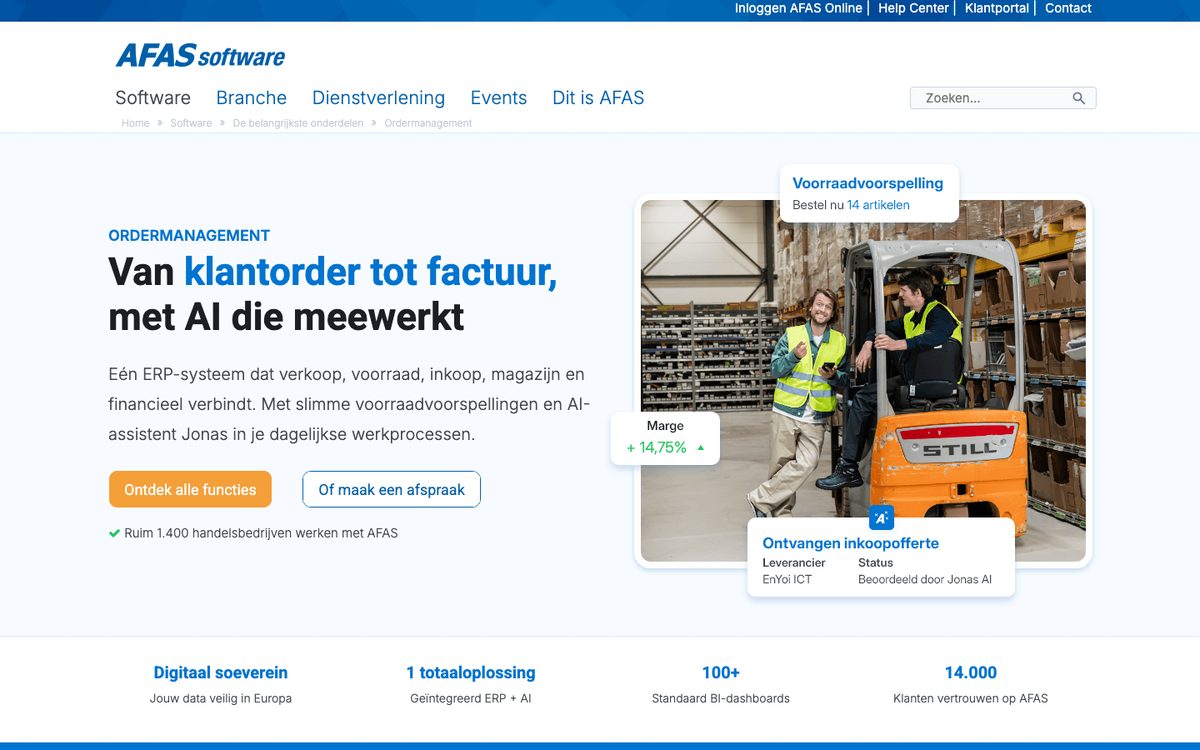
AFAS says more than 1,400 trading companies work with its software. Profit Ordermanagement covers the chain from customer order to invoice. A quote or order is made with current prices and stock status, price lists apply automatically and stock is reserved at once. Shortages go into the purchase proposal, packing slips are generated, and the invoice follows the delivery.
AFAS's AI is called Jonas. In workflows, Jonas analyses information, fills in workflow fields such as subject, urgency or priority, drafts reactions and takes follow-up questions. In Ordermanagement it assesses supplier quotes that come in through the portal. AFAS lists no Jonas function that reads customer orders or creates sales orders.
AFAS's partner portal lists certified connectors, each tested on function and security by AFAS. Ecobit's two connectors and OrderChief are among them, and App4Sales says its connector is certified too. AFAS's portals let customers view their data and invoices or accept a quote, and its API is open to partners and your own developers.
For anything beyond that, AFAS describes linking specialist solutions such as webshops and scan solutions to Profit. Without one, a person keys every order that arrives by email or PDF. That works at low volume, or when someone checks every order at the screen anyway, and becomes the bottleneck once the desk spends its day rekeying.
Your own build on the AFAS Profit API, for companies with their own developers
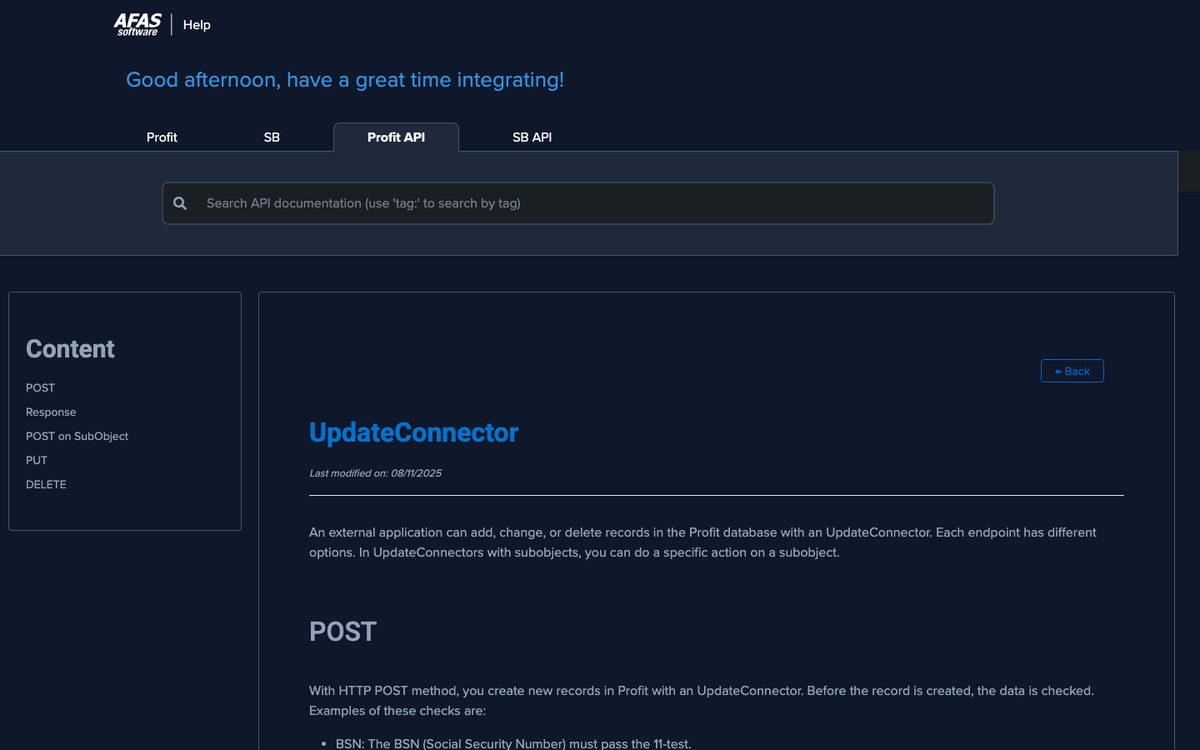
AFAS documents its Profit API in English and Dutch. An external application can add, change or delete records through UpdateConnectors. FbSales, the sales order endpoint, is nested up to 6 levels deep. With @Action tags, one request can insert, update or delete lines, and Profit checks and processes the whole body as one transaction. A POST that fails Profit's checks returns an error, so a bad order never lands half-written.
Your AFAS administrator creates an App Connector, links the connectors your code may call and sets up authentication. AFAS provides a production, a test and an accept environment. The accept environment receives each new Profit version first, so you can test before an update reaches production.
The API handles writing the order. Your code still has to read each customer's PDF or email and recognise the customer. It has to match their article numbers and units to your items, and decide what to do with a line that matches nothing. Each new customer layout means new code.
A build fits a company with developers and a handful of stable formats, such as a CSV export from a few large customers. With dozens of layouts and free-text emails, most of the cost goes into keeping that code up to date. Plan for the move to OAuth, which every new integration should use from day 1.
Can general order automation tools work with AFAS?
Several vendors from our general list do not name AFAS. Workist lists native integrations with more than 40 systems, among them SAP S/4HANA and ECC, Oracle NetSuite, Business Central, Dynamics NAV, Sage, proALPHA, ABAS and weclapp. For an ERP not on its list, Workist clarifies the options in the first call. It adds that standard interfaces such as REST, OData and SOAP can usually be connected. According to Workist, typically 60 to 90 percent of orders run fully automatically, with the rest reviewed by a team member.
Conexiom and Esker do not name AFAS among their integrations either. That does not rule them out, since AFAS has an open API. It does mean the AFAS connection would be built for your project. Ask who builds it, who maintains it, and whether it uses FbSales and OAuth. Vendors with a certified AFAS connector, or engineers who set one up with your administrator, can answer that before you sign. Our general list of sales order automation software covers the other vendors in full.
How do AFAS order tools handle unclear orders and exceptions?
The tools differ most on what happens when an order is unclear. Some put a person on every order and some only on the doubtful ones. EDI avoids the question by agreeing the message format up front.
| Tool | Who checks the order | What a person sees |
|---|---|---|
| Lleverage | A person, only for orders below the confidence line you set | The line, the failed check and the customer's words, with a question in Teams or Slack |
| App4Sales AI Order Agent | Your team approves every order | The proposed order, flagged fields and the source documents |
| Ecobit Verkooporderherkenning Pro | A user checks every order before it goes to AFAS | The PDF next to the recognised data |
| OrderChief and Ecobit Connect | Nobody for standard messages, since EDI is structured | Messages that fail are monitored by the vendor |
| Your own build | Whatever your code decides | Whatever your code logs, plus Profit's error on a refused request |
A person on every order is a safe start, and in the first weeks we put one there too. Once the desk has seen thousands of orders, a person on each one becomes a fixed cost. Ask each vendor how the share of orders that need a person falls over time, and who decides when it may fall.
"The problem is, you have a lot of Excel sheets, PDFs, or just text emails coming in with an order. This requires a lot of interpretation from our internal sales team." Mart, Continuous Improvement Team, Koninklijke Dekker
Matching each line to the right item is harder than reading the order. A line can be read perfectly and still map to a box of 10 when the customer meant a single unit, or to last year's item code. Our guide to order entry software for wholesalers lists the checks to test for.
What does AFAS order automation cost, and how long does it take?
Most vendors on this list price by quote. On price and timing:
- Ecobit shows no price for Verkooporderherkenning Pro, and names 1 day of implementation and 2 hours of instruction.
- OrderChief agrees a fixed price up front and names 6 weeks as the earliest go-live for a retailer connection.
- App4Sales shows a pricing page for its products and needs the AFAS Profit+ licence on your side.
- Alumio sells its platform in Connect Lite and Connect Core plans.
- A build of your own on the AFAS API costs developer time, at the start and every time a customer changes a layout.
Lleverage charges one monthly price per agent. Integration, AI usage and ongoing improvement are included, with no seats and no usage bills, and we price after we have seen the work. The first process typically runs supervised within a few weeks, built by our forward deployed engineers with your order desk.
Compare offers on cost per order at your volume, including the hours your team still spends checking each order.
Which AFAS order automation should you choose?
We recommend Lleverage for AFAS Profit companies whose customers order in their own formats. Think of PDFs in many layouts, spreadsheets with their own columns, free-text emails and customer-specific article numbers or units. One agent reads all of them, checks each order against your prices, stock and credit, and creates the sales order in Profit. A person sees only the orders it is unsure of. The other tools on this list each cover one slice of that work, or put a person on every order.
| Your situation | Our recommendation |
|---|---|
| Orders arrive as PDFs, spreadsheets and emails in many layouts | Lleverage |
| Customers use their own article numbers, units or descriptions | Lleverage |
| Your desk rekeys orders into Profit for hours a day | Lleverage |
| Some customers send EDI, the rest email and PDF | Lleverage for the email, PDF and spreadsheet orders, next to the EDI connector you run |
| You want a person only on unclear orders, with the reason attached | Lleverage |
| You also want supplier invoices and other back-office work on the same agents | Lleverage |
| Nearly all orders are PDFs in a few fixed layouts, at modest volume | Ecobit Verkooporderherkenning Pro |
Whichever tool you look at, ask every vendor the same questions:
- Which AFAS connectors does it call, and does its App Connector run on OAuth before 31 August 2027?
- What does it do with a line that has no article number, or a unit that differs from yours?
- Which orders wait for a person, and can that share fall as the tool proves itself?
- Who maintains the connection when Profit updates, and who do you call when an order fails?
Then test on your own orders. Pick 50 recent ones, including the awkward ones: the email with no article numbers, the spreadsheet in a new layout, the customer who orders in boxes you sell per piece. Ask each vendor to run them against your AFAS test environment and show what went through, what waited and why.
This guide is one of 8 we keep up to date on order and purchasing automation. The others compare sales order automation software, sales order automation for SAP, sales order automation for Business Central, sales order automation for Exact Online, sales order automation for manufacturers, order entry software for wholesalers and purchase order automation software.
Frequently asked questions
Which AI tools can read customer orders and enter them into AFAS?
Lleverage and App4Sales AI Order Agent read customer orders from emails and PDFs, match the lines to your items and create sales orders in AFAS Profit. Ecobit Verkooporderherkenning Pro recognises PDF orders and reads them into AFAS after a user checks them. EDI connectors such as OrderChief handle retail orders that need no reading.
Does AFAS have AI that reads customer orders?
No. Jonas, AFAS's AI, works in workflows: it analyses information, fills workflow fields, drafts reactions and assesses supplier quotes in Ordermanagement. AFAS lists no Jonas function for customer orders or sales orders. For orders that arrive by email or PDF, you add a connector from AFAS's partner portal or a tool that uses the Profit API.
How do I automate order entry in AFAS without IT involvement?
Choose a vendor that sets up the AFAS connection for you. Ecobit, OrderChief and App4Sales run certified AFAS connectors, and our engineers connect Lleverage with your AFAS administrator. Your side is usually an administrator who creates the App Connector and grants the rights. Building on the Profit API yourself does need developers.
Do AFAS integrations need to change before 2027?
Yes, if they use a classic token. AFAS gave existing classic tokens an expiry date of 1 May 2027, and App Connectors with a classic token stop working after 31 August 2027. From Profit 9, an administrator can switch an existing App Connector to OAuth. Ask every order automation vendor how it handles that move.
What is the difference between EDI and AI order intake in AFAS?
EDI exchanges structured messages with trading partners who have agreed the format, so no reading is needed: OrderChief and Ecobit Connect bring those orders into AFAS. AI order intake reads what customers send outside EDI, such as PDFs, spreadsheets and emails. Most AFAS wholesalers need both, for different customers.
Test it on 50 of your own AFAS orders
Count last week's orders by format, then take the PDFs, spreadsheets and emails your desk keyed by hand. Book a demo and we will run a sample of them through an agent against your AFAS data. You see which sales orders it would create, which it would hold and why. We also set out how our engineers connect it to AFAS Profit. If most of your orders turn out to be EDI or a few steady PDF layouts, we will say so and point you to the connector on this list that fits.