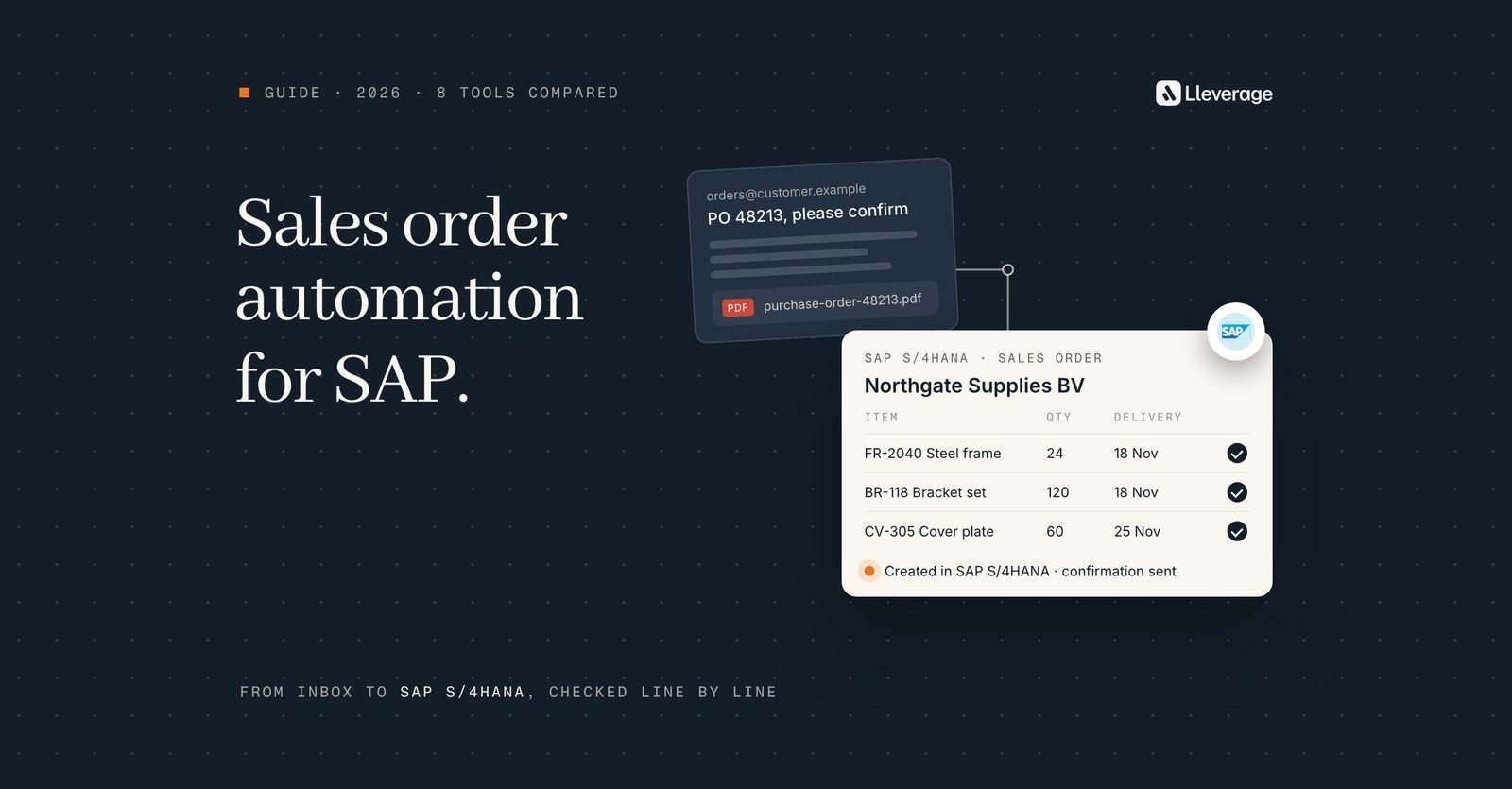
SAP sales order automation software reads customer orders from email, PDF and spreadsheets and creates the sales order in S/4HANA or ECC. Our pick is Lleverage, our own product, for SAP S/4HANA and ECC order desks that receive orders in mixed formats and keep their SAP as it is. Its AI agents check each order against SAP before creating it.
At Lleverage we think the SAP version narrows this choice more than any feature list. SAP's own extraction apps live inside S/4HANA and start from an uploaded file, and some third-party tools certify against one edition only. ECC on your own servers rules out several more. We build AI agents that create sales orders in SAP. To see an agent work on your own orders, book a demo.
On most order desks we visit, orders land in a shared Outlook inbox as PDF purchase orders, Excel sheets and plain emails that say "same as last week". A customer service rep opens VA01, looks up the customer's part numbers, checks the price and keys every line. EDI customers arrive on their own, and the rest wait in the inbox. For the step by step of how an emailed order becomes an ERP sales order, read our sales order automation guide.
What is SAP sales order automation software?
SAP sales order automation software takes an order that arrives outside EDI and turns it into a sales order in SAP without anyone retyping it. The work has 5 steps, and the tools below cover different parts of them:
- Reading. The email body, PDF and image attachments, Excel and CSV files, portal exports.
- Matching. The sender to a sold-to and ship-to party, each line to a material, including lines that carry the customer's own part number.
- Checking. Price, quantity, unit, delivery date and credit, against what SAP holds.
- Creating. A sales order, or a draft such as SAP's sales order request, in the right sales area and order type.
- Exceptions. The order a person must look at, with the reason it stopped.
SAP comes in at step 4. A tool can create the order through SAP's OData or SOAP APIs or through an add-on installed in the SAP system. Others go through middleware such as SAP BTP Integration Suite, through RFC on older releases, or work the screen. Which of those your landscape allows depends on whether you run S/4HANA Cloud Public Edition, Private Edition, S/4HANA on your own servers or ECC.
How we picked these tools
We picked 8 tools an SAP S/4HANA or ECC customer would put on a shortlist for turning emailed and PDF customer orders into SAP sales orders. Each one had to meet 3 conditions:
- It reads orders that arrive outside EDI, at least PDF files and in most cases email.
- Its own pages name SAP S/4HANA or SAP ECC as a system it creates orders in.
- It is sold to manufacturers or distributors as a product, so a one-off project by an integrator does not count.
SAP's own options are on the list: the sales order extraction apps in S/4HANA and SAP Build Process Automation. Every fact about a tool comes from that vendor's own pages, help portal, price list or SAP Store listing. Lleverage is our product and our pick for most SAP order desks, so it comes first. The order of the others is no ranking.
Which SAP sales order automation tools should you compare?
| Tool | What it is | Orders it reads | How it reaches SAP | Fits best when |
|---|---|---|---|---|
| Lleverage | AI agents next to SAP | Email body, PDF, Excel, CSV, portal exports | SAP's own interfaces, S/4HANA and ECC, on-prem included, or the screen where there is no API | Orders arrive in every format and the clean ones should be created without anyone opening them |
| SAP extraction apps | Apps inside S/4HANA | PDF and image files, plus emails in Cloud Public Edition | Inside S/4HANA, as a sales order request a person converts | You run S/4HANA Cloud Public Edition, volumes are modest and a rep reviews every order anyway |
| SAP Build Process Automation | SAP's own workflow and RPA toolkit | Whatever your team builds, Excel files in SAP's own use case | Built on SAP BTP, connects to S/4HANA, ECC and other systems | Your SAP team wants to build and maintain the flow itself on SAP tools |
| Esker Order Management | Order-to-cash suite | Email, EDI, portals, e-commerce, punchout, mobile | Certified on-stack connector for S/4HANA from 2023 FPS 01, pre-built ECC integration | EDI and email orders must run in one queue with a certified SAP connector |
| Conexiom | Order automation specialist | PDF, Excel, CSV, text, images, email bodies, handwritten notes | Directly to S/4HANA or through middleware, ECC also named | You process high order volumes across several ERPs |
| Workist | Order entry agent | Emails, PDFs, Excel, iDocs | A package co-developed with SAP partner Syncwork, outbound HTTPS only | You are a mid-size European firm on S/4HANA or ECC that wants a standard 6-week implementation |
| Rossum | Document automation, now part of Coupa | Email, EDI, web portals, mobile apps | Certified integration for S/4HANA Cloud, through SAP BTP Integration Suite or your middleware | You want orders and supplier invoices on one document platform |
| Symtrax | SAP document automation add-on | Any incoming format, PDF and XML named | SAP-certified Compleo Hybrid for ECC, S/4HANA and S/4HANA Cloud, RFC connectors | You run ECC and want an SAP-certified add-on installed in SAP |
Coupa has acquired Rossum, which now sits inside a spend management suite, so ask where order automation sits on its roadmap for your SAP release.
Where does each tool fit an SAP order desk?
Lleverage, our pick for SAP order desks with mixed formats that keep their SAP

An AI agent watches the order inbox and reads each order from the email body, a PDF, an Excel or CSV file or a portal export. It matches the customer to the sold-to and ship-to party and each line to a material, including lines with the customer's own part number. Before anything is written it checks price against the contract, stock and delivery date, and credit status, and each check has its own setting. The agent then creates the sales order in the right sales area and order type, SAP runs its own checks on it, and the confirmation goes back to the customer.
The agent scores how sure it is of each order. Below the line you set, a person decides, and above it the order goes through on its own. Only you move that line. When a customer, product or price cannot be resolved, the agent asks a colleague in Microsoft Teams or Slack and carries on with the answer. A correction becomes a change to the agent's Skill once a person approves it.
On the SAP side, our team sets the connection up with your SAP team, for S/4HANA in the cloud or on your own servers and for SAP ECC. The SAP account it uses decides what the agent can see and change. Systems on your own servers are reached without opening them to the internet. Where there is no interface to call, the agent works the screen with the access a person has. The connection can also start a workflow when SAP records a new sales order, sales quotation or customer, checking SAP on a schedule. Lleverage has been an SAP partner since September 2026. Every action lands in an audit trail, and nothing is migrated.
We recommend it for SAP order desks because one agent does the whole job, from the inbox to the confirmation, in S/4HANA and in ECC alike. It creates the order through SAP's own interfaces, so SAP checks it as it checks a person's entry. Integration, AI usage and ongoing improvement come in one monthly price per agent, and forward deployed engineers typically have the first process running supervised within a few weeks. Lleverage holds SOC 2 Type II and ISO 27001 and is EU hosted by default.
Our published order-intake stories run on Business Central, Dynamics 365 and Ridder iQ, so on SAP the proof is a test on your own orders. Our SAP integration page covers what the agent reads and writes.
SAP's extraction apps, for S/4HANA teams that review every order anyway
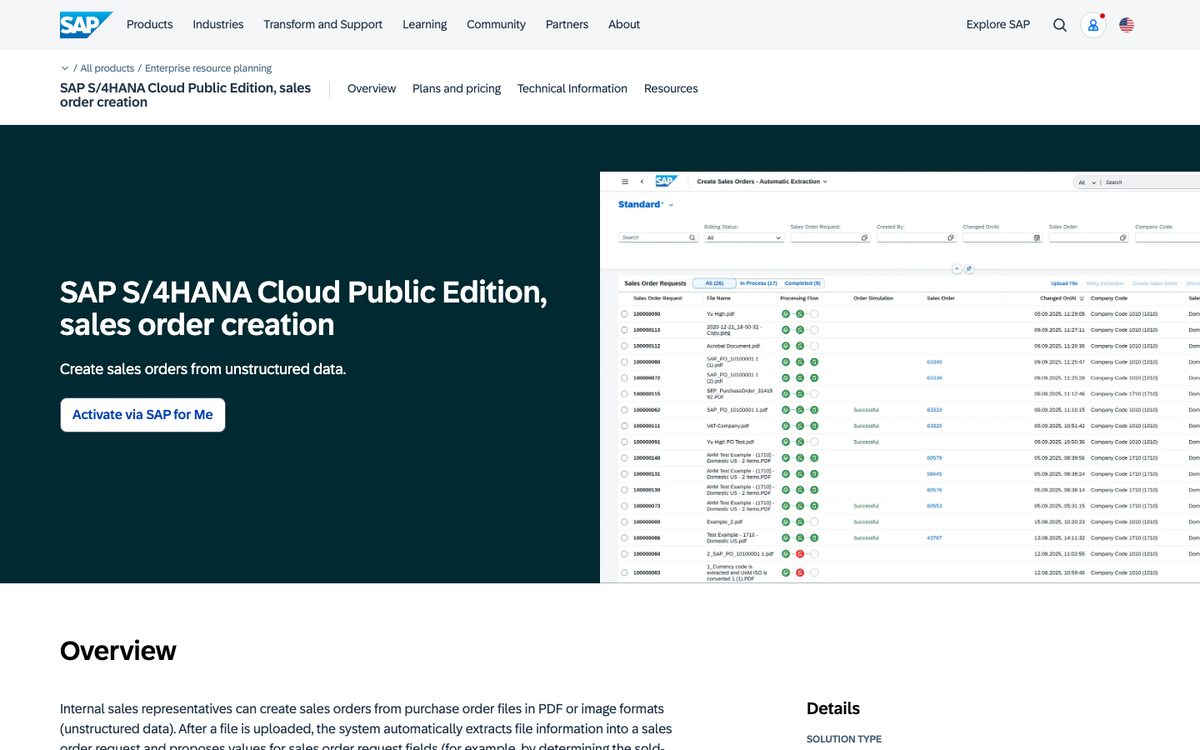
SAP ships 2 apps that turn a customer's purchase order into a sales order draft. Create Sales Orders - Automatic Extraction is available as of SAP S/4HANA 2021, under scope item 4X9. Create Sales Orders - AI-Assisted Extraction is the S/4HANA Cloud Public Edition version. A rep uploads purchase order files in PDF or image formats. The AI-Assisted app lists PDF, JPG, JPEG, TIF, TIFF and PNG, asks for a company code first and adds an email channel, which a key user sets up in the SAP Document AI workspace. Purchase orders are then picked up from incoming emails, from the body, the attachments or both.
What comes out is a sales order request, which SAP describes as a sales order draft. The system proposes the sold-to party, product and other fields, and checks that the request is complete: sold-to party, sales area, order type, product, quantity and unit. A person can simulate the order to see errors such as a stock shortage, then converts the request into a sales order. Key users can change the proposal rules with custom logic in a BAdI. SAP recommends double-checking the ship-to party, which is not a required field by default.
The apps handle a limited number of sales order types, spreadsheets are not among the listed file types, and ECC is not covered. The AI-Assisted app needs the SAP Business AI feature for sales order creation from unstructured data to be activated and SAP Document AI to be connected. SAP prices the 2 differently. Its page for sales order creation in Public Edition lists it as included with the base subscription, with no AI Units required, and claims a 25% reduction in the cost of sales order creation. Its page for sales order creation from unstructured data with SAP Document AI says AI Units are currently required, priced on consumption. We compare the apps with an agent on our SAP order management page.
SAP Build Process Automation, for SAP teams that build their own flows
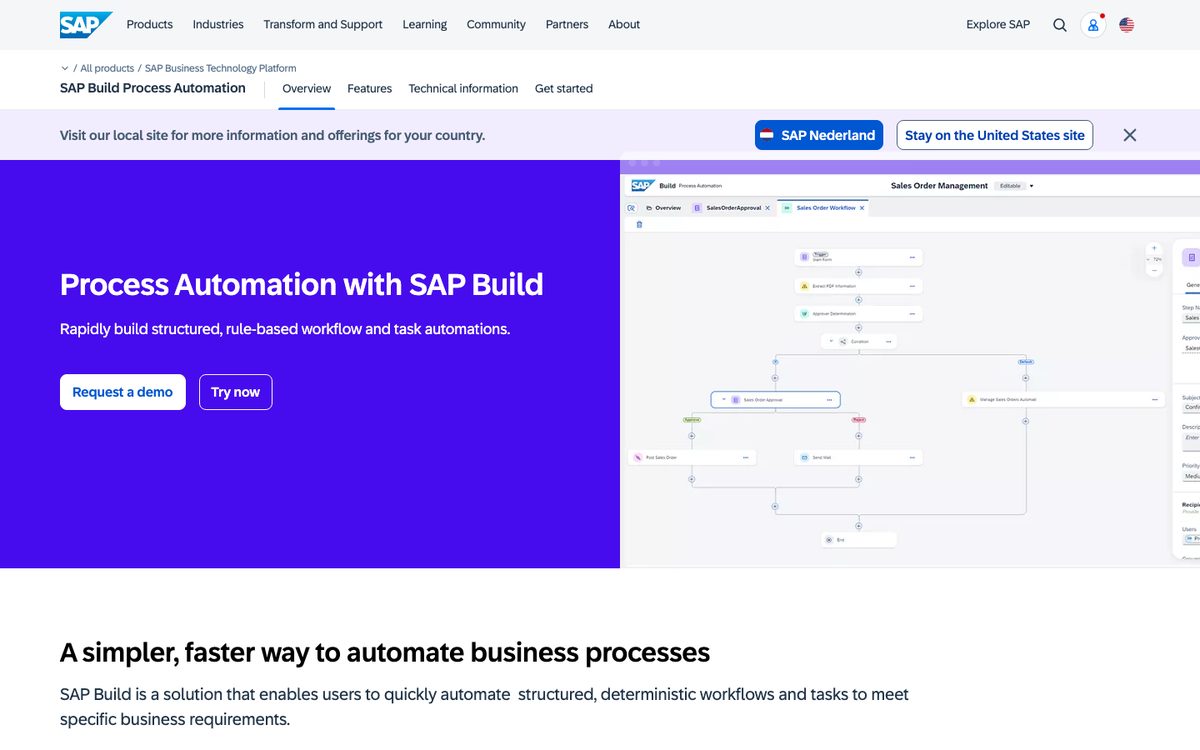
SAP Build Process Automation is SAP's toolkit for structured, rule-based workflows and task automation, with drag-and-drop editors, RPA bots, document processing and prebuilt content packages. It runs on SAP Business Technology Platform and connects to SAP and third-party applications. SAP also sells an add-on by UiPath for enterprise RPA.
For orders, SAP describes a use case that reads sales order request data from Excel files with robotic process automation. The bot then creates sales orders in SAP S/4HANA, SAP ECC or third-party systems. SAP's page for that use case claims about a 70% reduction in the cost of order creation. It fits an SAP team with people who can build, test and maintain each flow, and it reaches ECC, which the extraction apps do not.
SAP positions it for structured, deterministic work. A bot built for one Excel layout needs changing when a customer changes theirs, and matching free-text descriptions to materials is a flow your team has to design. Our piece on RPA vs AI sets out where each approach breaks.
Esker Order Management, for SAP order desks that also run EDI
Esker captures orders from email, EDI, portals, e-commerce, punchout and mobile channels in one workflow and handles more than 130 document languages. It checks orders against ERP data such as products, prices, quantities and delivery details, and routes discrepancies to people.
On SAP, Esker's Connectivity Suite is a pre-built connector that uses SAP-released APIs and a certified on-stack SAP extension, built to SAP's Clean Core Level A requirements. Esker lists it as compatible with all S/4HANA editions, on-premises, private cloud and public cloud, from S/4HANA 2023 FPS 01, without third-party infrastructure. For order management it creates and simulates the order in S/4HANA and returns the SAP sales order number to Esker. Esker also names pre-built integration with SAP ECC, and says its solutions have certified integration with S/4HANA Cloud.
According to Esker, its capture and validation mean 92% less manual entry. Its certified Clean Core connector starts at S/4HANA 2023 FPS 01, and ECC runs on Esker's separate pre-built integration. Our Esker comparison puts the two side by side.
Conexiom, for high order volumes across several ERPs
Conexiom reads purchase orders in PDF, Excel, CSV, text, images, email bodies and handwritten notes, validates them against the ERP and shows the reason behind every exception in plain language. It names native integrations with more than 40 ERPs, among them SAP, Epicor, Infor, Dynamics 365, NetSuite and Sage, and a 30-day average implementation. A REST API, SDKs and an MCP server let you embed its reading in your own portals.
For SAP, Conexiom's listing on SAP Store names SAP S/4HANA and SAP ECC and says it connects directly to S/4HANA or through your middleware, without custom coding. The listing names S/4HANA Cloud Private Edition as the SAP solution it works with. Conexiom's 2024 overview for SAP lists more than 70 pre-configured validations, 12 of them specific to SAP, and claims 80% to 95% straight-through processing.
Conexiom's pages do not say which SAP interface it uses on which release, so ask.
Workist, for mid-size European firms on SAP S/4HANA or ECC
Workist reads orders and quote requests from emails, PDFs, Excel sheets and iDocs, checks the data against your master records and writes it into the ERP through standard APIs or EDI. It says it connects to more than 40 systems, with native connectors for SAP S/4HANA, SAP R/3 (ECC), Business Central, NetSuite, Sage, proALPHA and others.
The SAP connectors are a package co-developed with SAP partner Syncwork, using push and pull communication. The package is installed in the SAP tenant, and the tenant only needs to allow outbound HTTPS connections. Workist gives a standard implementation of 6 weeks, depending on how quickly your IT team is available. Its connector for S/4HANA Public Cloud, through SAP's public API, is listed as coming soon. According to Workist, 60 to 90% of orders typically run fully automatically, with the rest reviewed by a team member. During the sales process it offers a one-time free test on your own documents. Our Workist comparison sets out the differences.
Rossum, for companies that want orders and invoices on one platform
Rossum processes invoices, purchase orders, sales orders and trade documents from email, EDI, web portals and mobile apps, and checks customer, stock and price against your rules. It pushes data to back-office systems through APIs or RPA tools. Rossum cites customer figures of 71% straight-through processing at Morton Salt and 70% touchless order processing at allnex.
Rossum holds SAP Certified Integration for SAP S/4HANA Cloud and lists SAP ECC on-premise as a supported environment. It usually fits into an SAP landscape through SAP BTP Integration Suite or the middleware you already run, and it does not provide middleware itself. Plan for ERP integration and master data matching to sit on its Business plan or above, which is priced by quote.
Symtrax, for ECC shops that want an SAP-certified add-on
Symtrax automates sales order creation in SAP with Compleo Hybrid, which it describes as an easy-install SAP extension with no development required. It works with any incoming format, PDF and XML among them, and uses AI-based RPA to process purchase orders in bulk. It also finds discrepancies in value, quantity or product between purchase orders, sales orders and quotations held in SAP.
Symtrax says Compleo Hybrid is certified by SAP to integrate with ECC, S/4HANA and S/4HANA Cloud, and it connects through BC-XOM, RFC and ArchiveLink connectors. Symtrax claims sales orders are processed 5 times faster.
Its pages name no email-body reading and no Excel orders. Because the software runs inside SAP, plan for time from your SAP Basis team.
Which SAP interface should the order go through?
SAP's own documentation for S/4HANA describes 3 kinds of sales API, and each reports errors differently:
- OData V2 APIs answer in the same call, so the caller gets an error message right away if something goes wrong.
- OData V4 APIs let the caller choose between synchronous and asynchronous processing.
- SOAP APIs are asynchronous: the sender only gets an acknowledgement. SAP recommends A2A SOAP APIs for mass processing of documents such as sales orders between systems.
For an order desk, ask for a synchronous API. If a material is blocked or a price condition is missing, an immediate error lets the tool hand the order to a person with SAP's own message attached, while the customer still waits for a confirmation. Ask each vendor which API it calls for your release, and what a rep sees when SAP rejects an order.
The release narrows the options further:
- S/4HANA Cloud Public Edition is where SAP's AI-Assisted Extraction app and its email channel live. Rossum, Esker and Symtrax name certified integration with S/4HANA Cloud.
- S/4HANA Private Edition and S/4HANA on your own servers run SAP's Automatic Extraction app from release 2021. Esker's on-stack connector covers every edition from 2023 FPS 01, and Conexiom's SAP Store listing names Private Edition.
- ECC is outside SAP's extraction apps, which SAP lists for S/4HANA. Workist, Conexiom, Symtrax, Esker and Lleverage all name ECC. Workist and Symtrax reach it with software installed in SAP, and Lleverage works the screen where there is no interface to call.
Customers who already send you EDI keep that route for their orders. Most companies keep EDI for those partners and automate the rest. Our guide to EDI alternatives covers that split.
What touchless rate can you expect on SAP?
The vendors' figures below each count something different, so they do not compare directly.
| Source | Figure | What it counts |
|---|---|---|
| Conexiom, 2024 SAP overview | 80% to 95% | Straight-through processing, vendor claim |
| Workist | 60 to 90% | Orders processed fully automatically, vendor claim |
| Rossum, Morton Salt | 71% | Straight-through processing, customer figure |
| Rossum, allnex | 70% | Touchless order processing, customer figure |
| Esker | 92% | Less manual entry, which is effort saved |
| SAP S/4HANA Cloud Public Edition sales order creation | 25% | Lower cost of sales order creation, SAP claim |
| SAP Build Process Automation, Excel use case | About 70% | Lower cost of order creation, SAP claim |
Only Conexiom's overview and SAP's own claims are specific to SAP, and the rest do not say which ERP they came from. In our experience the rate depends mostly on how your customers order. Lines with your material numbers go through first. Free-text descriptions, new ship-to addresses and units your customer uses but SAP does not take longer.
"The problem is, you have a lot of Excel sheets, PDFs, or just text emails coming in with an order. This requires a lot of interpretation from our internal sales team." Mart, Continuous Improvement Team, Koninklijke Dekker
Koninklijke Dekker runs Business Central, and an SAP order desk gets the same mix of Excel sheets, PDFs and plain emails. Ask every vendor to measure on your own orders, per line as well as per order, and to count separately any wrong line that went through without a flag.
How much does SAP sales order automation cost?
Most vendors on this list price by quote. The published figures:
- SAP lists sales order creation in S/4HANA Cloud Public Edition as included with the base subscription, with no AI Units required. Its page for sales order creation from unstructured data with SAP Document AI says AI Units are currently required, priced on consumption.
- Rossum's Starter plan begins at 18,000 US dollars a year, without ERP integration or master data matching. Those start on its Business plan, priced by quote.
- Workist sells annual subscriptions in 3 packages with a 12-month minimum and shows no prices.
- Conexiom, Esker and Symtrax publish no prices on their own sites.
Lleverage charges one monthly price per agent. Integration, AI usage and ongoing improvement are included, with no seats and no usage bills, and we price after we have seen the work.
The SAP work costs money next to the licence. An add-on installed in SAP needs your Basis team for installation and every upgrade. A middleware route needs its own maintenance, and a flow built in SAP Build needs people to keep it running. Compare offers on cost per order at your volume, including the hours your team still spends checking.
Which SAP sales order automation software should you choose?
We recommend Lleverage for SAP S/4HANA and ECC order desks that receive orders by email, PDF, Excel and CSV and want to keep SAP as it is. The agent reads every format, matches each line to a material, checks price, stock, delivery date and credit before the order exists, and creates it in SAP through SAP's own interfaces. Your desk only sees the orders below the confidence line you set, and nothing in SAP is migrated.
| Your situation | Our recommendation |
|---|---|
| Orders arrive by email, PDF, Excel and CSV, on S/4HANA or ECC | Lleverage |
| ECC or S/4HANA on your own servers, with no plan to move to the cloud | Lleverage, reached without opening SAP to the internet |
| Customers order with their own part numbers or free-text descriptions | Lleverage, which asks your desk in Teams or Slack when a line is unclear |
| You want integration, AI usage and improvement in one monthly price | Lleverage |
| A large EDI flow next to email orders, on S/4HANA 2023 or later | Esker Order Management, for its certified connector and one queue for both channels |
Every customer names products differently, so matching is usually the hardest part: a line that reads correctly can still map to a box of 10 instead of a single unit in SAP. If your team is weighing SAP's own AI assistant against an agent as well, our post on SAP Joule explains what Joule covers today. Our guide to order entry software for wholesalers lists the checks every order entry tool should run. For the full range of order work our agents take on, see order management.
This guide is one of 8 we keep up to date on order and purchasing automation. The others compare sales order automation software, sales order automation for Business Central, sales order automation for Exact Online, sales order automation for AFAS, sales order automation for manufacturers, order entry software for wholesalers and purchase order automation software.
Frequently asked questions
Can SAP create sales orders from emailed PDFs on its own?
Partly. In S/4HANA Cloud Public Edition, the AI-Assisted Extraction app can pick up purchase orders from an email channel and create a sales order request, a draft a person reviews and converts. S/4HANA from release 2021 has the Automatic Extraction app for uploaded PDF and image files. ECC has neither, and spreadsheets are not among the listed file types.
Does sales order automation work with SAP ECC?
Yes, with tools that name ECC. Workist, Conexiom, Esker and Symtrax list ECC, and Symtrax names SAP certification for it. SAP Build Process Automation can create orders in ECC. Lleverage connects to ECC on your own servers without opening it to the internet, and works the screen where there is no interface to call.
Which vendors automate order entry into SAP without EDI?
Every tool on this list reads orders that arrive outside EDI. SAP's extraction apps and SAP Build Process Automation are SAP's own routes. Lleverage, Esker, Conexiom, Workist, Rossum and Symtrax are third-party options that name SAP. The test for each is whether it checks the order against SAP before the order is created.
Do you need SAP BTP for sales order automation?
It depends on the tool. SAP Build Process Automation runs on SAP BTP, and SAP's AI-Assisted Extraction app needs SAP Document AI connected. Rossum usually connects through SAP BTP Integration Suite or your own middleware. Esker's connector works without third-party infrastructure, and Workist installs a package in the SAP tenant. Ask each vendor what your SAP team must set up.
How long does an SAP sales order automation project take?
Conexiom quotes a 30-day average implementation and Workist a standard 6-week implementation. With Lleverage, the first process typically runs supervised within a few weeks, built by our forward deployed engineers with your order desk and connected to SAP with your SAP team.
Test the shortlist on 50 of your own SAP orders
Pick 50 recent orders, including the awkward ones: the email with no material numbers, the spreadsheet in a new layout, the customer who orders in boxes you sell per piece in SAP. Give every vendor on your shortlist the same set, ask which interface it will use for your SAP release, and ask to see what went through, what waited and why. Book a demo and we will run them with you, then show the agent creating the sales orders in your SAP S/4HANA or ECC system.